98 232001840G(08)
Halftone
(Raster
Page)
[DEF
AUL
T
SETTING:
Dithering]
This option controls the way a raster-engraved image is processed. The “digital image to engraved
output” process can be processed via two methods: Dithering or Error Diffusion. Each offer additional
output options yielding different output effects, style, and quality.
•Dithering: Interprets and outputs the raster engraving via the dithering method. This mode
will allow you to select the Pattern Type and Dithering Matrix, and Enhanced Dithering.
•Pattern Type: Dot, Bayer, Corner, 45 Degree [DEFAULT SETTING: Dot]
Each pattern type uses a different shape and arrangement of dots to compose the shading
effect of a raster image.
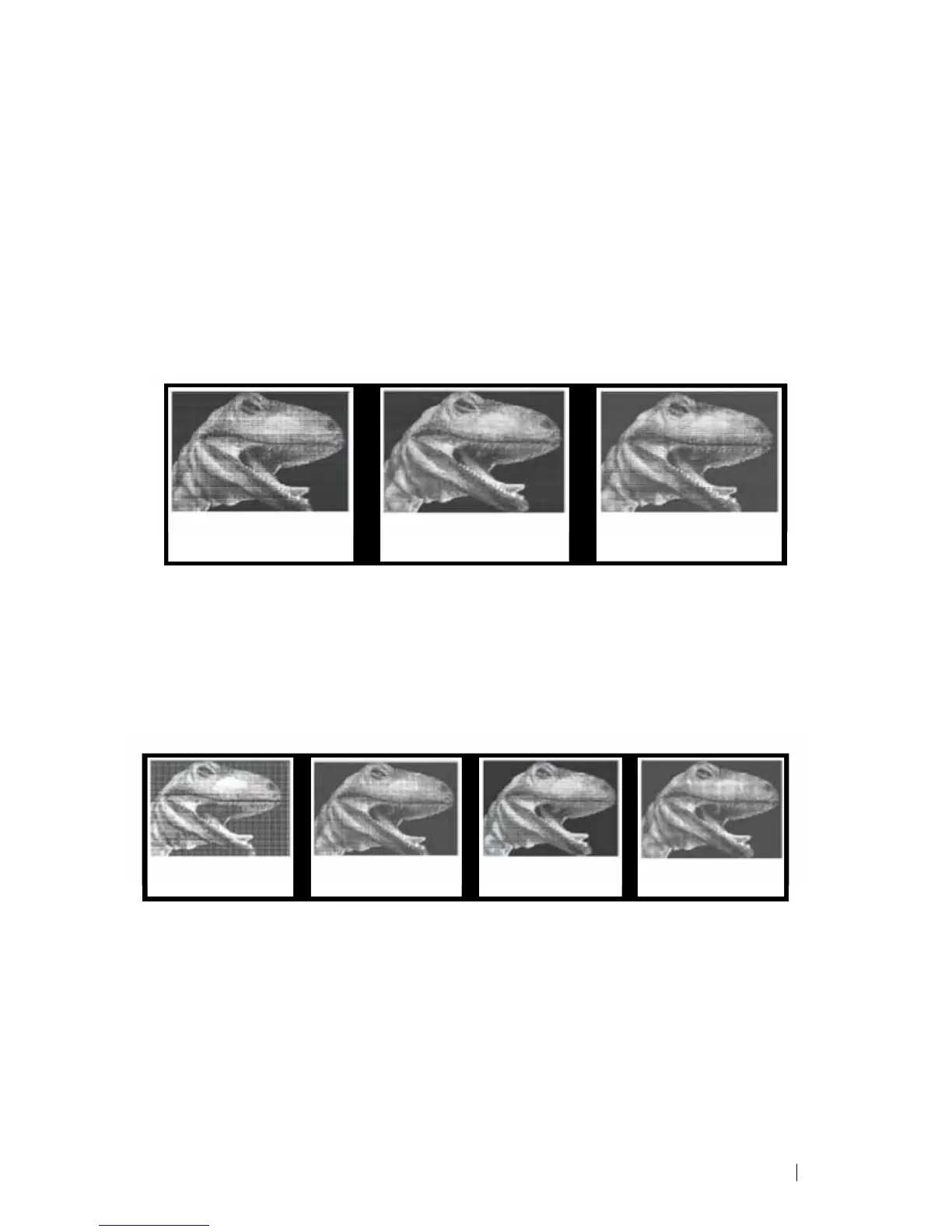
The following diagram is an example of the raster effects when using the different
pattern types.
Dot Bayer Corner
•Dithering Matrix: Variable depending on the Pattern Type selected.
[DEFAULT SETTING: 8 x 8]
This controls the resolution (dot size) and the number of dots the image is broken
down into for the dithering process. As an example, selecting 2 x 2 will shade with
a 5-grade halftone, where as an 8 x 8 Dithering Matrix will dither with a 65-grade halftone.
The following diagram is an example of the raster effects when using the different dithering
matrices.
2 x 2 Dithering 8 x 8 Dithering 2 x 2 Enhance 8 x 8 Enhance
Dithering Dithering
Enhance
Dithering
[DEF
AUL
T
SETTING:
Unselected]
Selecting this will produce a finer dithering output.
• Error Diffusion (Raster Page): Interprets and outputs the raster engraving via the error diffusion
method. This mode will allow you to select from three diffusion types: Floyd, Stucki, and Jarvis.
• Diffusion Type: Floyd, Stucki, Jarvis [DEFAULT SETTING: Floyd]
Each diffusion type presents the shade of image as different spread halftones instead of dots to
compose a raster image.
The following diagram is an example of the raster effects when using the different diffusion types.





 To Next Page