133 232001840G(07)
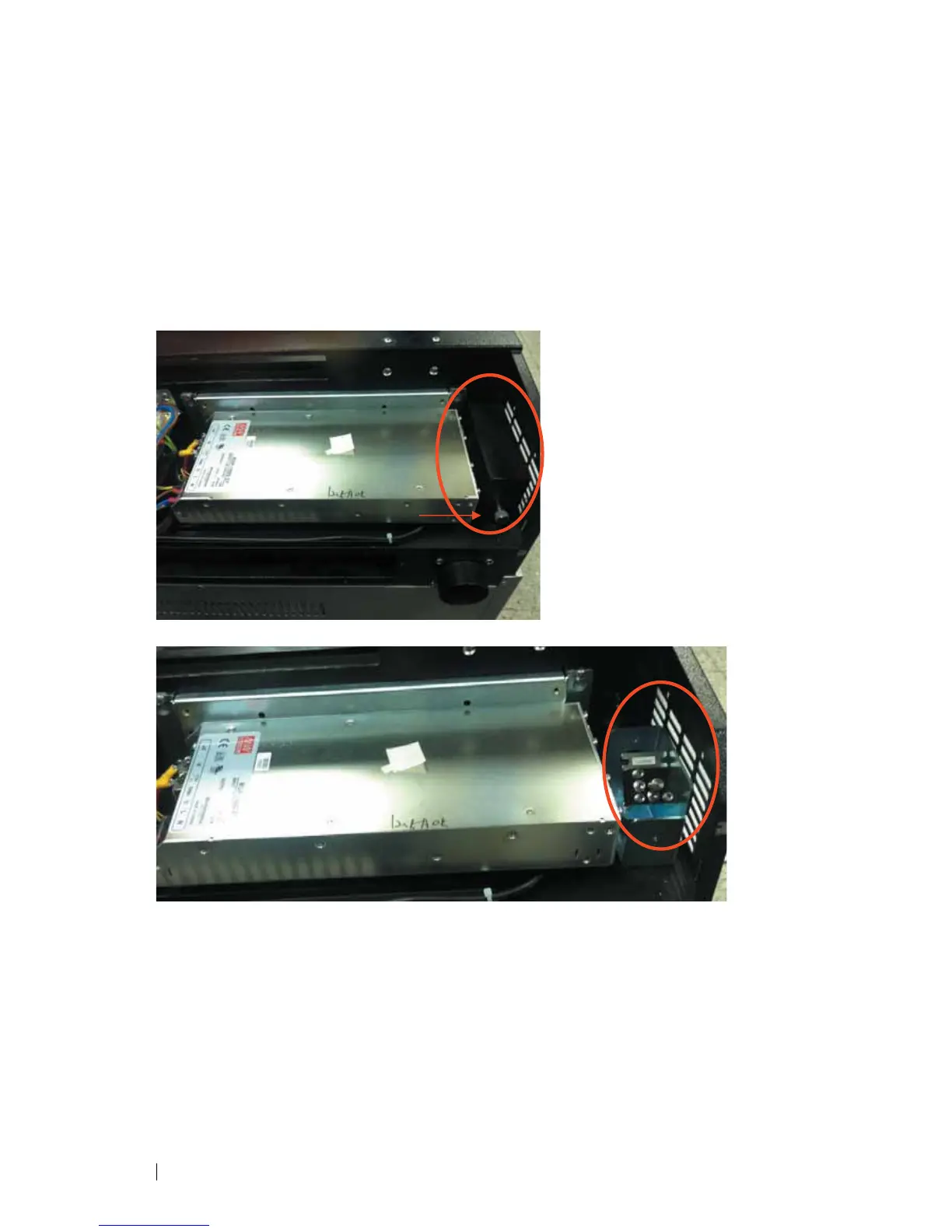
Mirror 2
1) Unscrew and remove the black dust cover covering mirror 2.
2) Unscrew the thumbscrew holding mirror 2 in place.
3) Clean the lens in the proper manner.
4) Re-install mirror 2 after cleaning.
5) Tighten the thumbscrew.
6) Replace and secure the dust cover.



 To Next Page