232001840G(06)
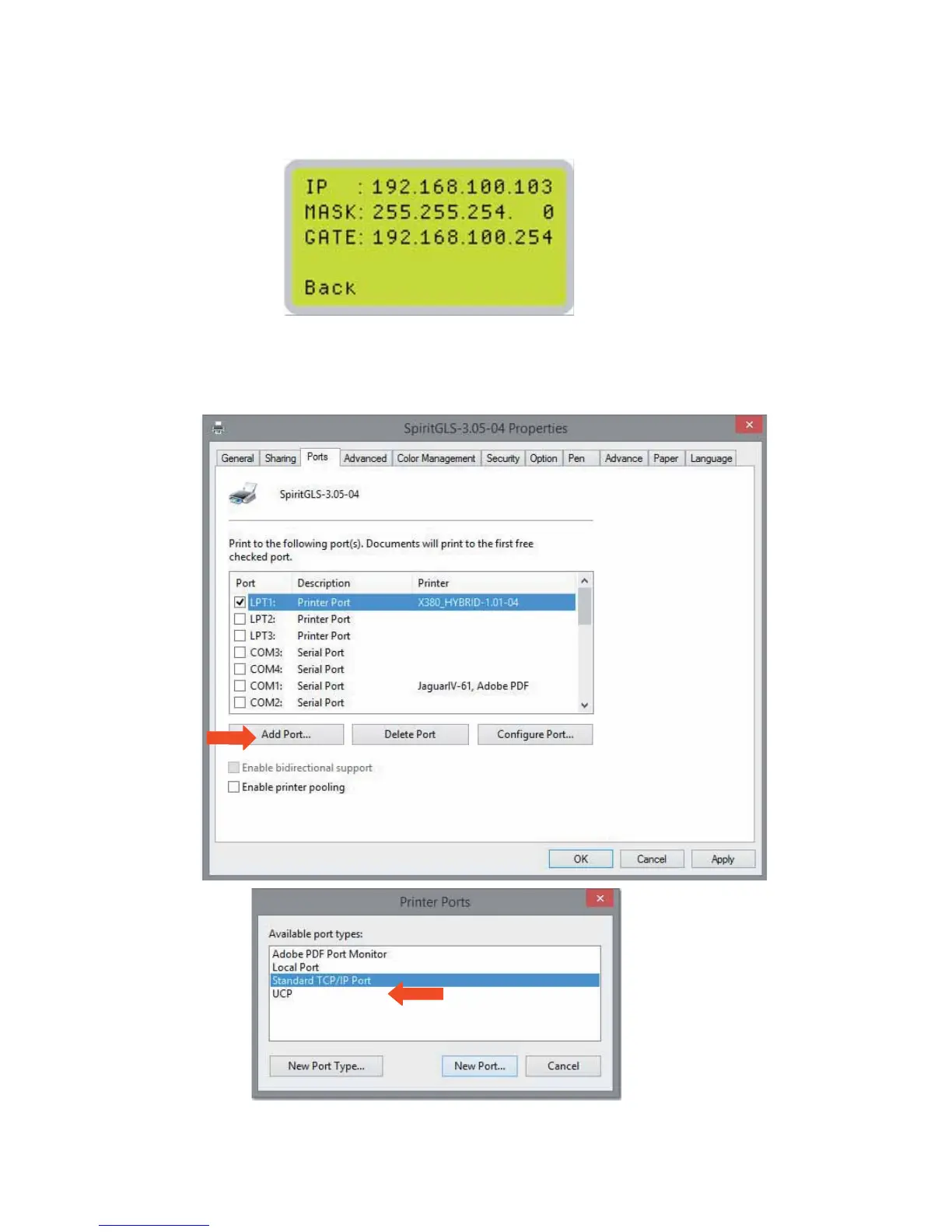
Step 1. Connect LAN cable to the LAN port of GCC laser engravers and turn on machine
Step 2. Navigate the control panel through <F4> FunctionÆ <Machine Setting>Æ <LAN Setup
Wizard>Æ IP Address.
Step 3. Go to Windows <Control Panel>Æ <Hardware and Sound>Æ <Printer>, and right click on Spirit
series printer to check printer properties.
Step 4. Go to <Ports> tab of printer properties, and select <Add Port>, and follow the instruction to enter
the TCP/IP information received from laser machine control panel in step 2.





 To Next Page