232001840G(06)
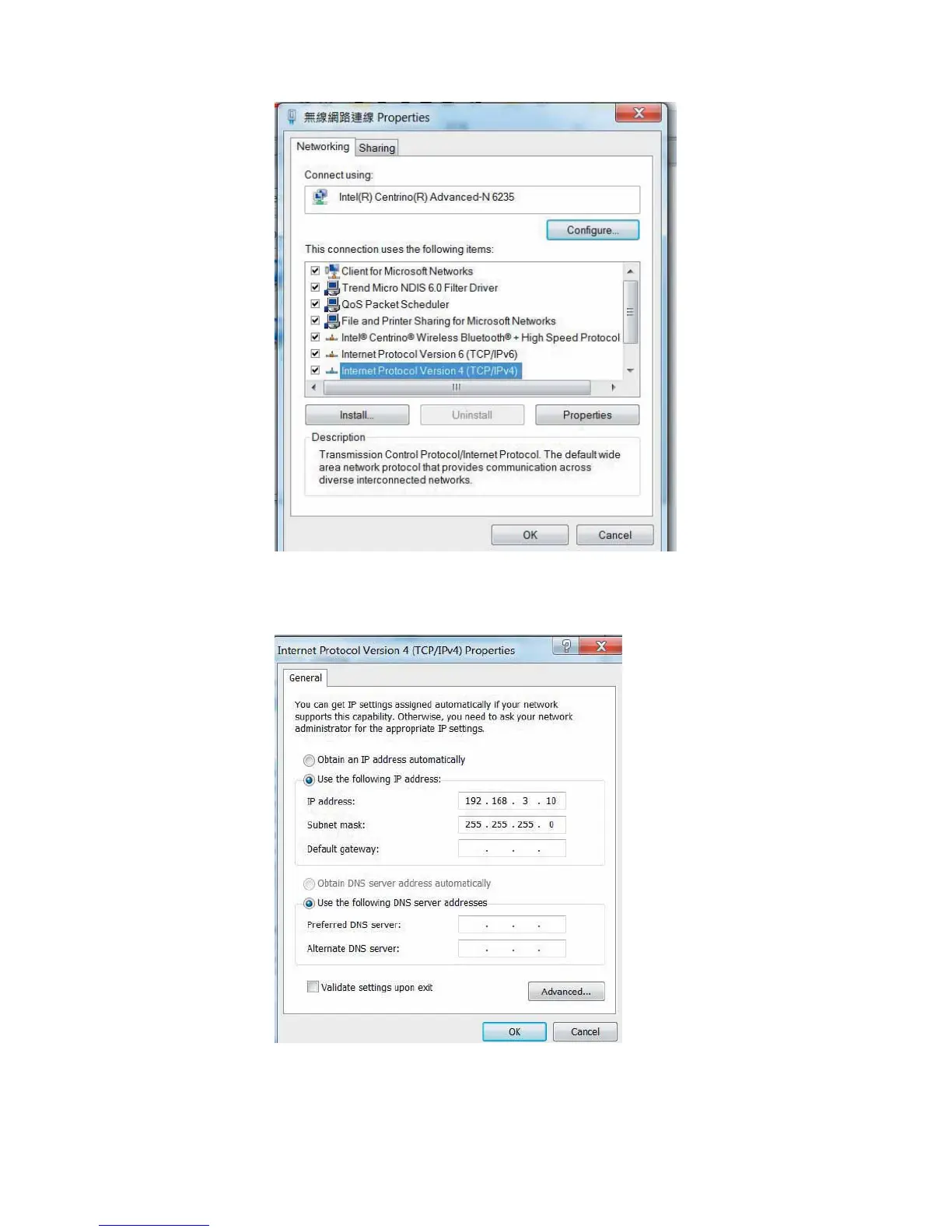
Step 7. Enter the IP address and Subnet mask setting values, and choose <OK>
Note the IP address 192.168.3.X (X value can be 1~255, while can’t be the same number as machine
control panel setting in step 4)
Step 8. Go to <Control Panel> Æ <Device and Printers> of computer and right click on the laser
machine printer, choose <Printer Properties>.





 To Next Page