MDS 05-6399A01, Rev. F MDS™ Master Station 97
6.3 Platform Manager Module
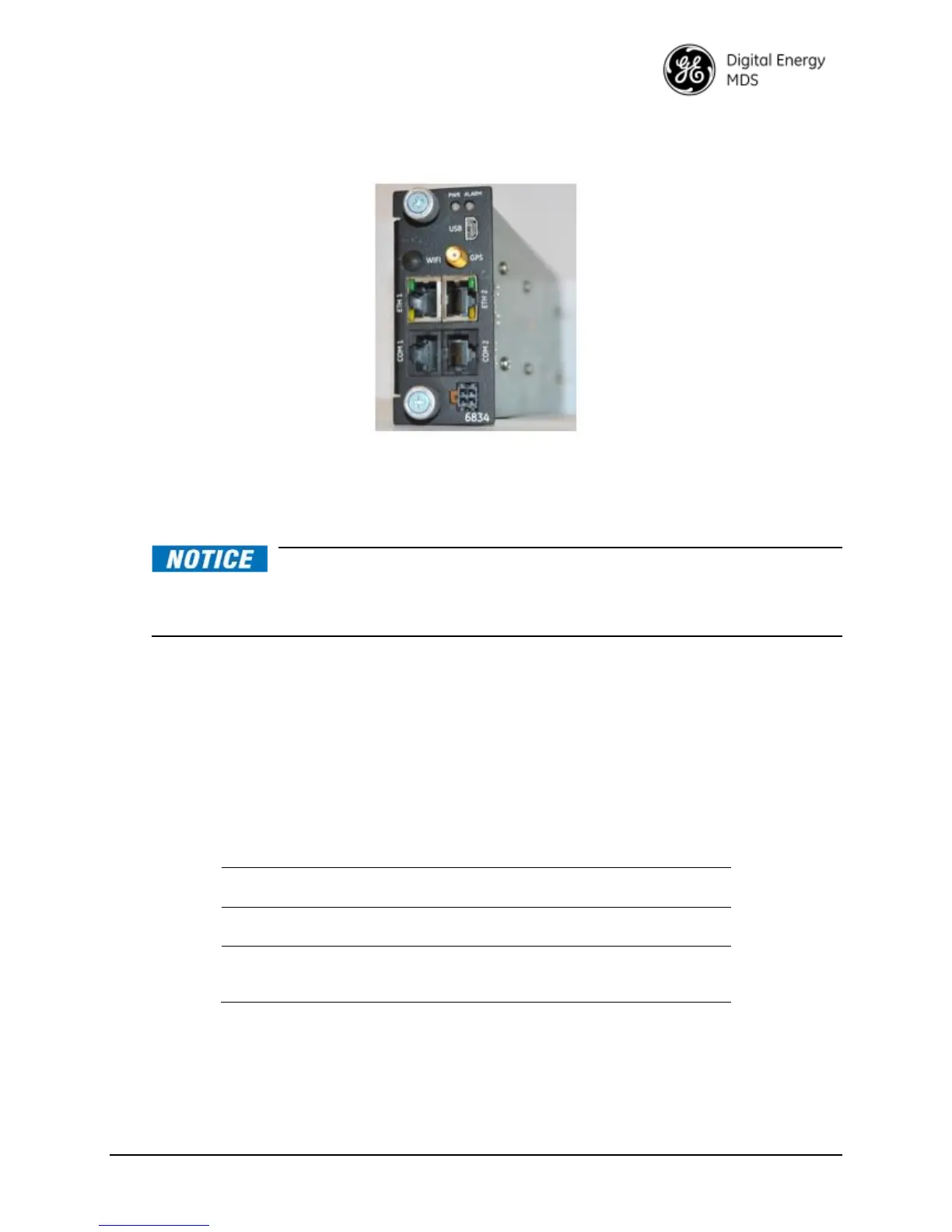
Figure 6-3 Platform Manager Module
The Platform Manager module is an orbit based management processor that provides Ethernet
and serial connectivity to radio cards connected on the Master Station backplane. This module
features a 10-port Ethernet switch and USB hub for backplane connectivity to a number of radio
modules.
The Platform Manager module does not support hot swappable field
replacement; power must be removed from the system before removal or installation of this
device. Refer to Section 8.4 Replacing Modules for information on removal and
installation.
The Platform Manager is available with and without GPS for time of day and synchronization
purposes for future radio module offerings. When ordered with WiFi, the Platform Manager
module may be configured using a tablet, smartphone, or other WiFi enabled web device.
The Interfaces on the front panel of the Platform Manager are described below. Note that the
small connector on the bottom right, just above the part number, is currently unused.
Platform Manager LED Indicators
The Platform Manager has BLUE LEDs to indicate Platform Manager power on, system
initialization, and Master Station alarm status. The behavior of these LEDs is described below.
Table 6-4. Platform Manager LEDs


 To Next Page
 Loading...