26 MDS™ Master Station MDS 05-6399A01, Rev. F
Figure 4-4 DC Power Connector
6. Connect a PC for Configuration (LAN or USB port). This prepares the Master Station for
programming of desired operating parameters. Configuration is further described in
Section 5.0 Device Management
If serial-based cabling is used for configuration, an adapter may be required at the
PC, as many PCs do not offer a serial port. In such cases, a USB-to-Serial adapter
(with appropriate driver software) may be used. These adapters are available from
a number of manufacturers.
7. Radio, Alarm/Relay, and Duplexer Connections—The Alarm/Relay module provides
two alarm outputs, one for major and one for minor alarms. This module also provides
TX/RX audio, PTT (TX keying), and analog RSSI connections. See “Alarm/Audio
Interface” on Page 110 for pinout connections.
All other required connections on the front of the unit are cabled at the factory per
ordered options.
8. Add connection of battery backup, as applicable.
Initial Startup & Operation
The radio is designed for continuous, unattended operation, but does require some minimal
provisioning before operation. This section explains the use of the radio’s indicators and
provides steps for initial startup of the equipment. Once a unit is provisioned, operator
intervention is not required, except to power the unit up or down, or to change an operating
parameter. Operation of the radio can be started by simply connecting primary power to the unit.
Module LED Indicators
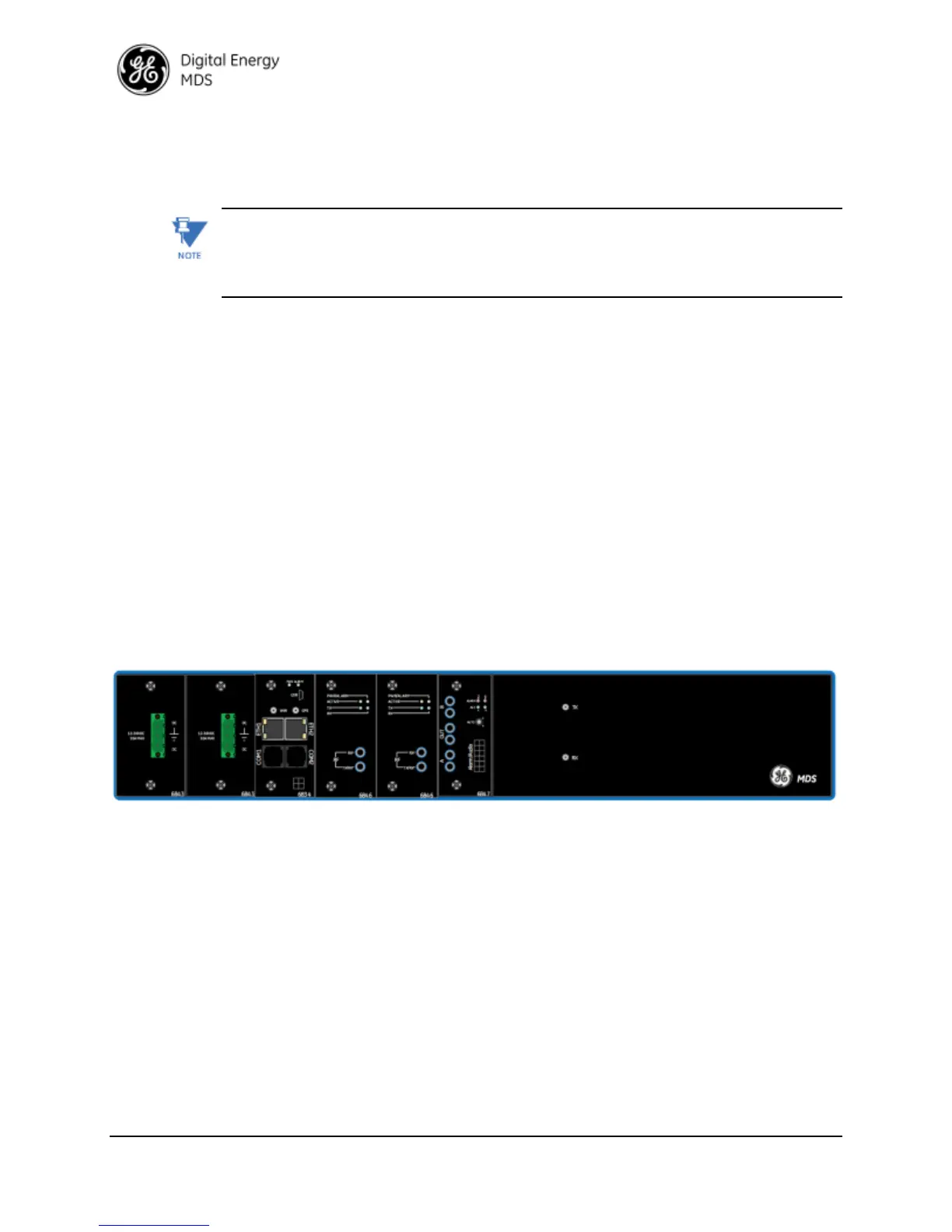
All LED indicators are on the front of the unit. Platform Manager, Radio, and Alarm Modules
include LEDs. A redundant unit will be populated as shown above. A non-redundant unit will
have only one Radio Module and a different Alarm Module without RF connections.


 To Next Page
 Loading...