38 MDS™ Master Station MDS 05-6399A01, Rev. F
SD-x/0/0 Interfaces” for more details.
5.7 LAN
Understanding
This section will cover only the basic configuration of Ethernet ports and bridges. For
full details on the configuration of more advanced features, please reference the MDS
Orbit MCR Technical Manual (05-6632A01)
The Master Station has external Local Area Network (LAN) ports (ETH1/2 ports) that can be
used to connect to a local (wired) LAN. It supports both IPv4 and IPv6 addresses and may be
assigned multiple IP addresses. The LAN port can be assigned static IP addresses or a
dynamically allocated address can be assigned using DHCP.
The LAN port should be assigned IP addresses only if it is a routed interface (that is, not
in a bridge).
Configuring
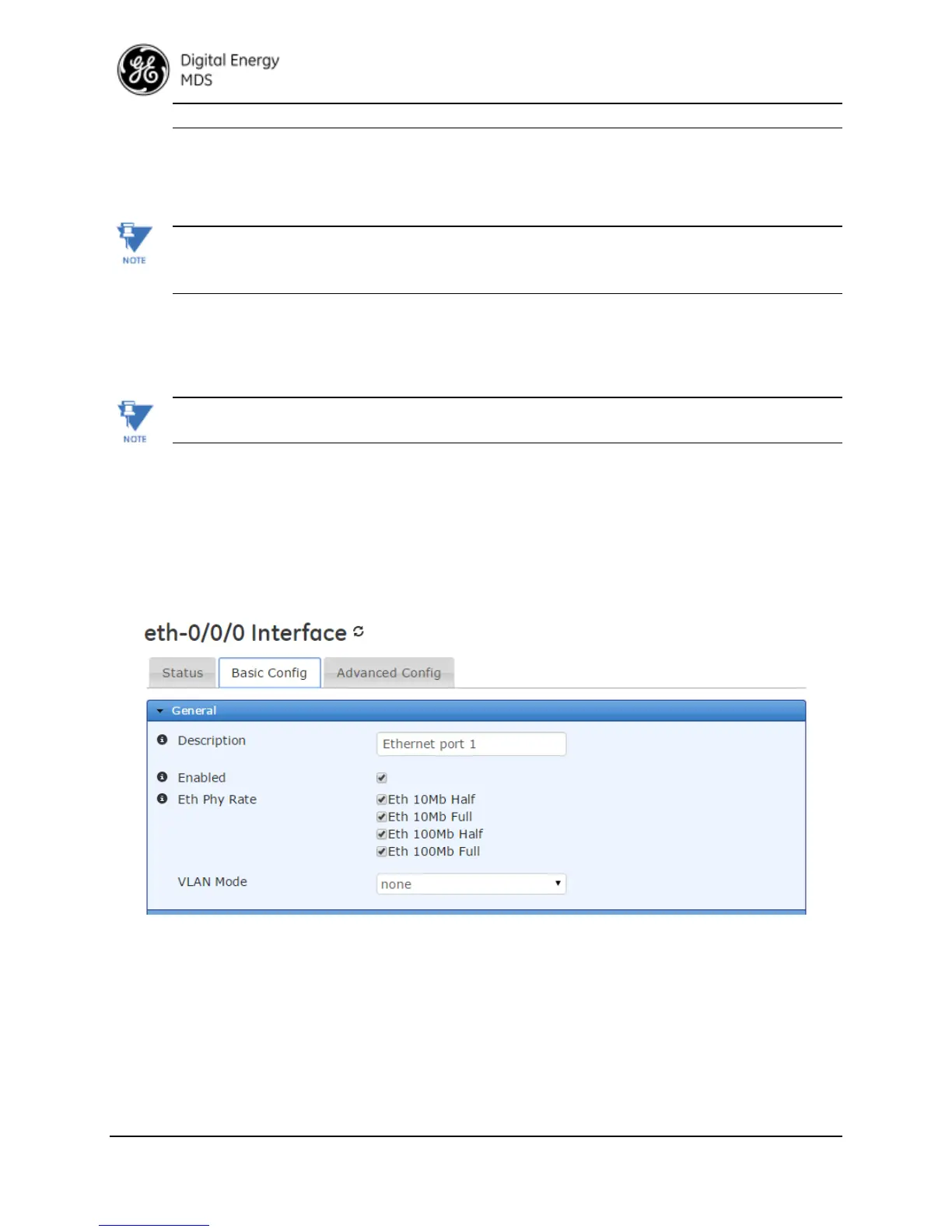
To configure the LAN interface, select the eth-0/0/0 or eth-0/0/1. As shown in the screens below,
there are five groups of configuration settings that can be configured: General ETHx specifics,
IPV4, QOS, Filter, and NAT
Basic Config
Interfaces
eth-0/0/x
Basic Config
Figure 5-1. ETH1 Configuration Screen
• Description - User defined identifier for this connection - 0-34 characters
• Type - Identifier of the type of interface - Do Not Change
• Enabled - Checked indicates Enabled (DEFAULT). Disable will prevent usage.
• Eth Phy Rate - Choose the Ethernet speed support setting (DEFAULT ALL)
- Eth 10Mb Half
- Eth 10Mb Full
- Eth 100Mb Half


 To Next Page
 Loading...