MDS 05-6399A01, Rev. F MDS™ Master Station 31
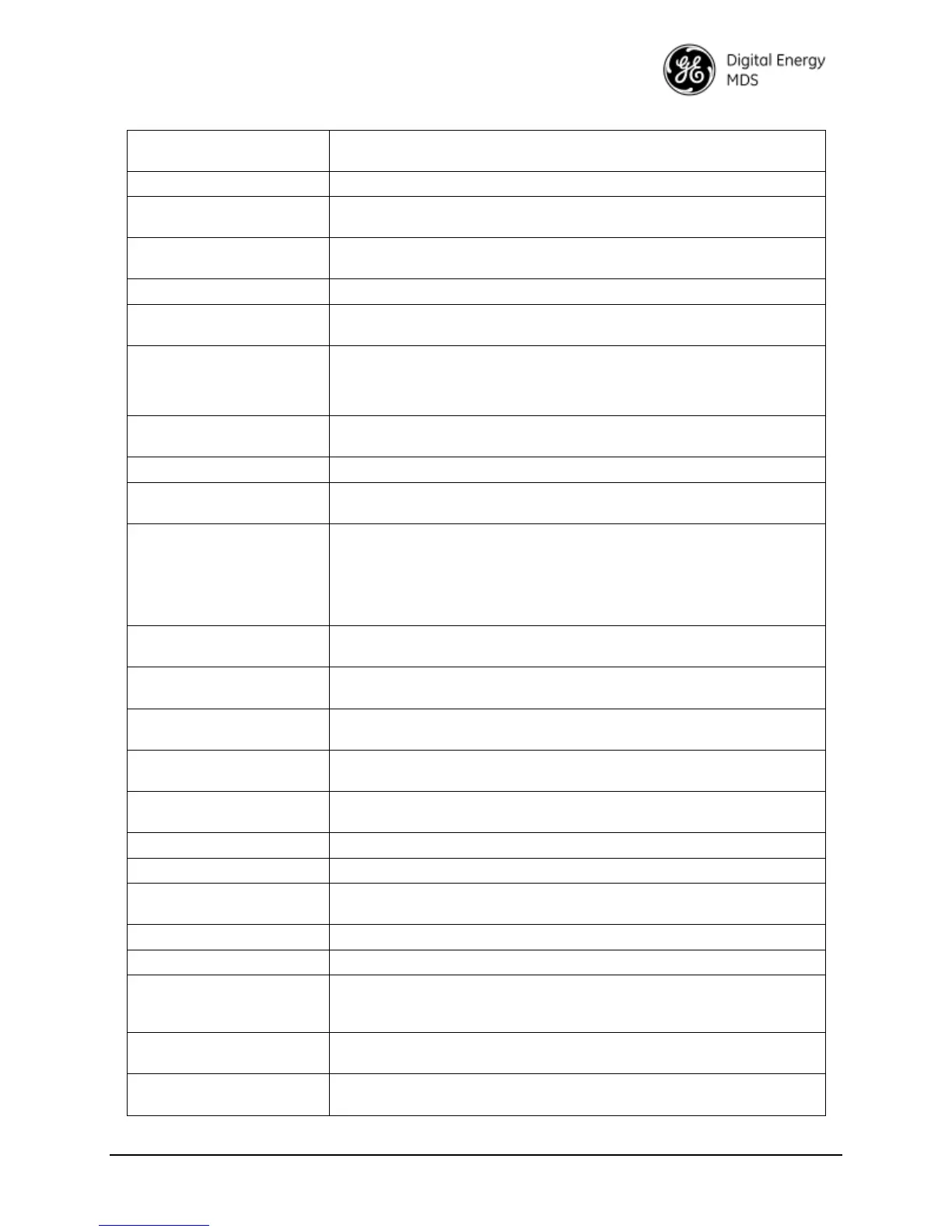
Table 5-1. CLI Quick Reference Table
% set interfaces interface bridge type bridge
Add the ETH1 interface to a
bridge
% set interfaces interface bridge bridge-settings members port eth-0/0/0
Remove the ETH1 interface
from a bridge
% delete interfaces interface bridge bridge-settings members port eth-
0/0/0
> show configuration interfaces interface lnms ln-config
Monitor LNMS Status
(RSSI,EVM, etc)
> show interfaces-state interface lnms ln-status | repeat 5
NOTE: pressing ctrl-c will abort this command
Configure LNMS
Frequencies
% set interfaces interface lnms ln-config rx-frequency <value>
and/or
% set interfaces interface lnms ln-config tx-frequency <value>
Configure LNMS Radio
Power
% set interfaces interface lnms ln-config power <value>
> show configuration interfaces interface sdms sd-config
Monitor SDMS Status (RSSI,
SNR, etc)
> show interfaces-state interface sdms sd-status | repeat 5
NOTE: pressing ctrl-c will abort this command
Configure SDMS
Frequencies
% set interfaces interface sdms sd-config radio-config basic-config
receive-frequency <value>
and/or
% set interfaces interface sdms sd-config radio-config basic-config
transmit-frequency <value>
% set interfaces interface sdms sd-config radio-config basic-config
modem-type <modem>
Configure the SDMS Radio
Mode
% set interfaces interface sdms sd-config radio-config basic-config
radio-mode <radio mode>
Configure SDMS Radio
Power
% set interfaces interface sdms sd-config radio-config basic-config rf-
output-power <value>
> request interfaces interface sdms sd-config maintenance rf-key-test
key radio true/false
Send a Remote Maintenance
Request to Remotes
> request interfaces interface sdms sd-config maintenance remote-
management-command <command name> <value>
> show table logging event-log
Set the admin user’s
password
> request system authentication change-password user admin
password admin1234
% set system name “Mydevice”
Set the baud rate on COM1
% set services serial ports COM1 baud-rate b19200
Download a firmware
package from TFTP server at
192.168.1.10
> request system firmware reprogram-inactive-image filename sdms-
bkrc-1_0_0.mpk manual-file-server { tftp { address 192.168.1.10 } }
Monitor firmware download
status
> show system firmware reprogramming-status
Export configuration file to a
TFTP server at 192.168.1.10
> request system configuration-files export filename myConfig.xml
manual-file-server {tftp {address 192.168.1.10} }


 To Next Page
 Loading...