8-6 8 SERIES PROTECTIVE RELAY PLATFORM – COMMUNICATIONS GUIDE
THE IEC 61850 CONFIGURATOR CHAPTER 8: IEC 61850
The IEC 61850 Configurator
The 8 Series relay supports the IEC 61850 protocol which is identified by order code option
“2A” or “2E”.
The IEC 61850 configurator is found in both the online and offline section of the EnerVista
8 Series Setup
software for configuring the online 8 Series relay and offline
8
Series relay settings file respectively.
Online and Offline Setup
ONLINE SETTINGS FILE
Two options are available to configure the relay’s online settings file.
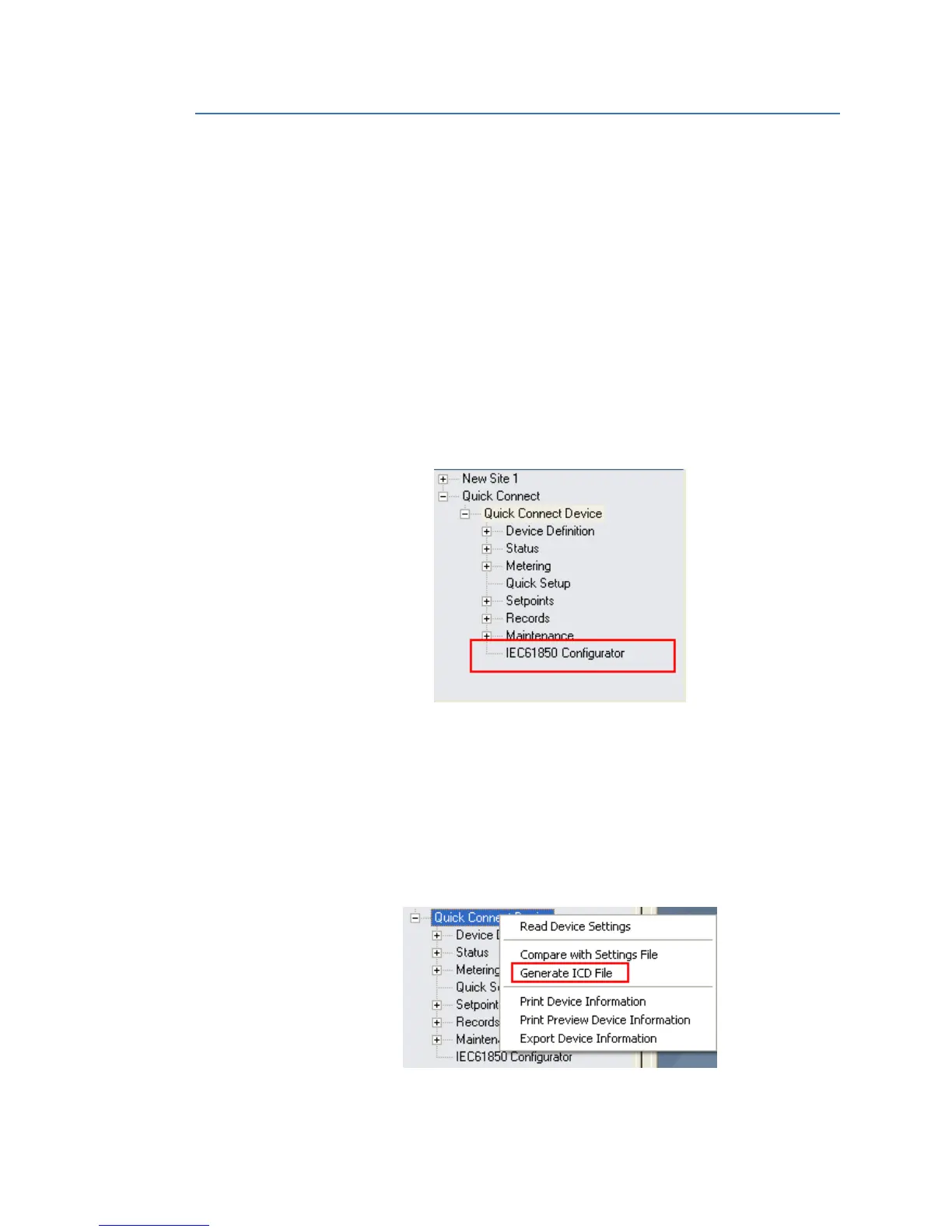
1. Configuration
– Configure the 8 Series relay (having order code option: IEC 61850) through the
Device Setup or Quick connect screen.
– The IEC 61850 Configurator “tree” item is displayed after Maintenance. See figure
below.
– Launch the online IEC 61850 configurator screen, by double-clicking on the
IEC61850 Configurator “tree” item.
– Select the required settings from the different tab displays (in the configurator
screen) to complete the IEC 61850 configuration.
2. Online right-click option
– Select any online relay and right click on the selected “tree” item. More options
become available for selection, as shown in the next examples.
Example of Additional Options
Generate ICD file: The menu option generates a default ICD file with the respective
order code option and saves the file to the path the user has selected previously.



 To Next Page