CHAPTER A: RADIUS SERVER AND CERTIFICATES SETTING UP A SIMPLE RADIUS SERVER
8 SERIES PROTECTIVE RELAY PLATFORM – COMMUNICATIONS GUIDE A-3
•Locality Name
• Organizational Unit Nae
• Common Name
• Email Address
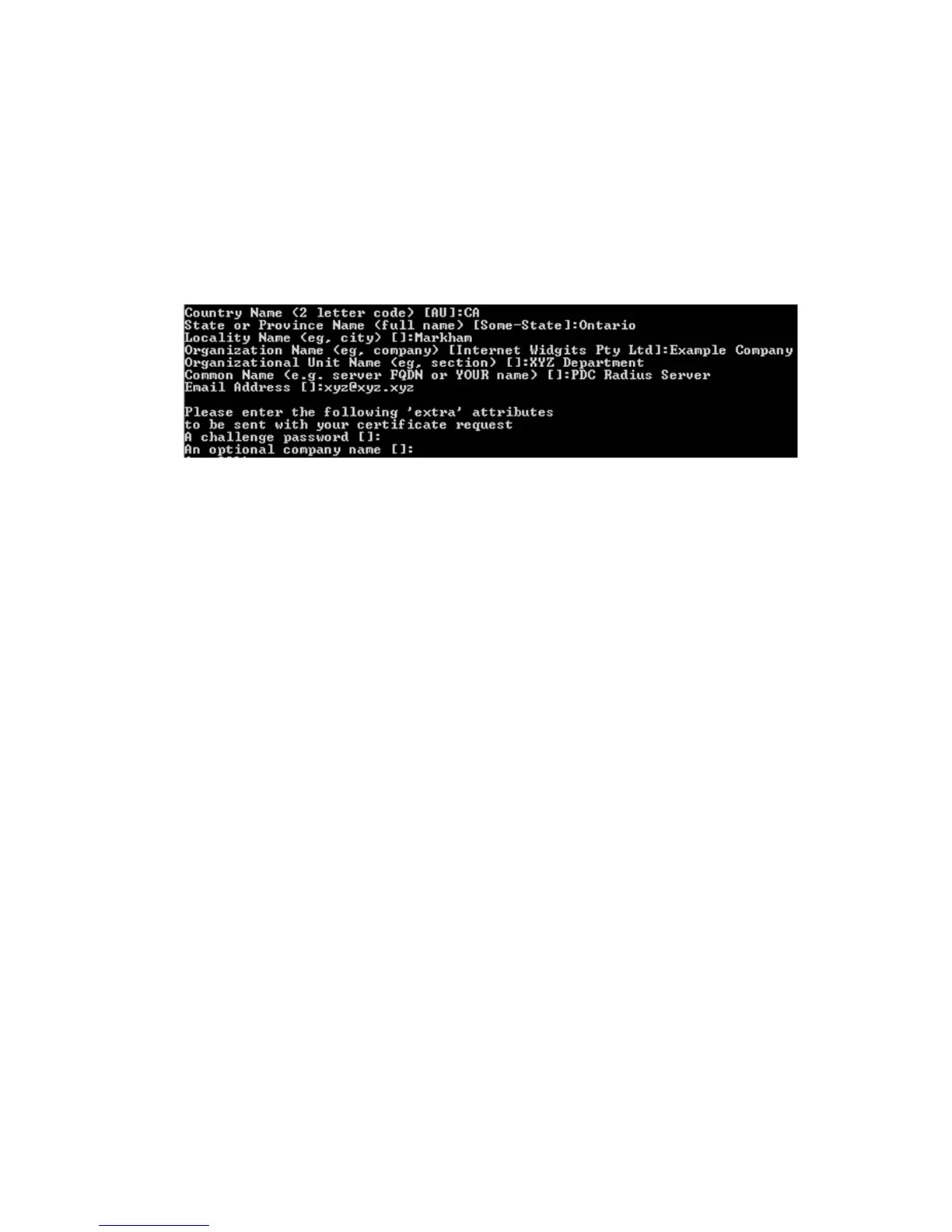
What you enter here is called a Distinguished Name or a DN. All this information is sent
with the certificate request, see figure A-1. The two 'extra' attributes ("A challenge
password" and "An optional company name") are left blank for this example.
Figure A-1: Enter DN information for Certificate request
Create a Signed
Certificate for the
Server
CA certificates (assuming it to be your root certificate from CA) are created and later used
to sign the server’s certificate request.
1. Create a private key for the root CA by using the command:
openssl genrsa -out ca.key 4096
2. Create a public certificate and self-sign it, by using the command:
openssl req -new -x509 -days 3650 -key ca.key -out ca.crt
While using the above command, you are asked to enter information that is incorporated
into your certificate. Please make sure that while entering this information (as depicted in
the previous step) that the Common Name (CN) of the CA and the Server certificate do NOT
match. This avoids naming collisions and other related errors later on.
3. Use the server’s certificate request (server.csr) that was created as described in the
previous section (see
Create a Certificate Request for the Server) and sign it with the
CA. Use the following command:



 To Next Page