GE Multilin F35 Multiple Feeder Protection System 5-9
5 SETTINGS 5.2 PRODUCT SETUP
5
b) LOCAL PASSWORDS
PATH: SETTINGS Ö PRODUCT SETUP Ö SECURITY ÖØ CHANGE LOCAL PASSWORDS
Proper password codes are required to enable each access level. A password consists of 1 to 10 numerical characters.
When a
CHANGE COMMAND PASSWORD or CHANGE SETTING PASSWORD setting is programmed to “Yes” via the front panel
interface, the following message sequence is invoked:
1. ENTER NEW PASSWORD: ____________.
2. VERIFY NEW PASSWORD: ____________.
3. NEW PASSWORD HAS BEEN STORED.
To gain write access to a “Restricted” setting, program the
ACCESS LEVEL setting in the main security menu to “Setting” and
then change the setting, or attempt to change the setting and follow the prompt to enter the programmed password. If the
password is correctly entered, access will be allowed. Accessibility automatically reverts to the “Restricted” level according
to the access level timeout setting values.
If an entered password is lost (or forgotten), consult the factory with the corresponding
ENCRYPTED PASSWORD.
If the setting and command passwords are identical, then this one password allows access to both com-
mands and settings.
c) REMOTE PASSWORDS
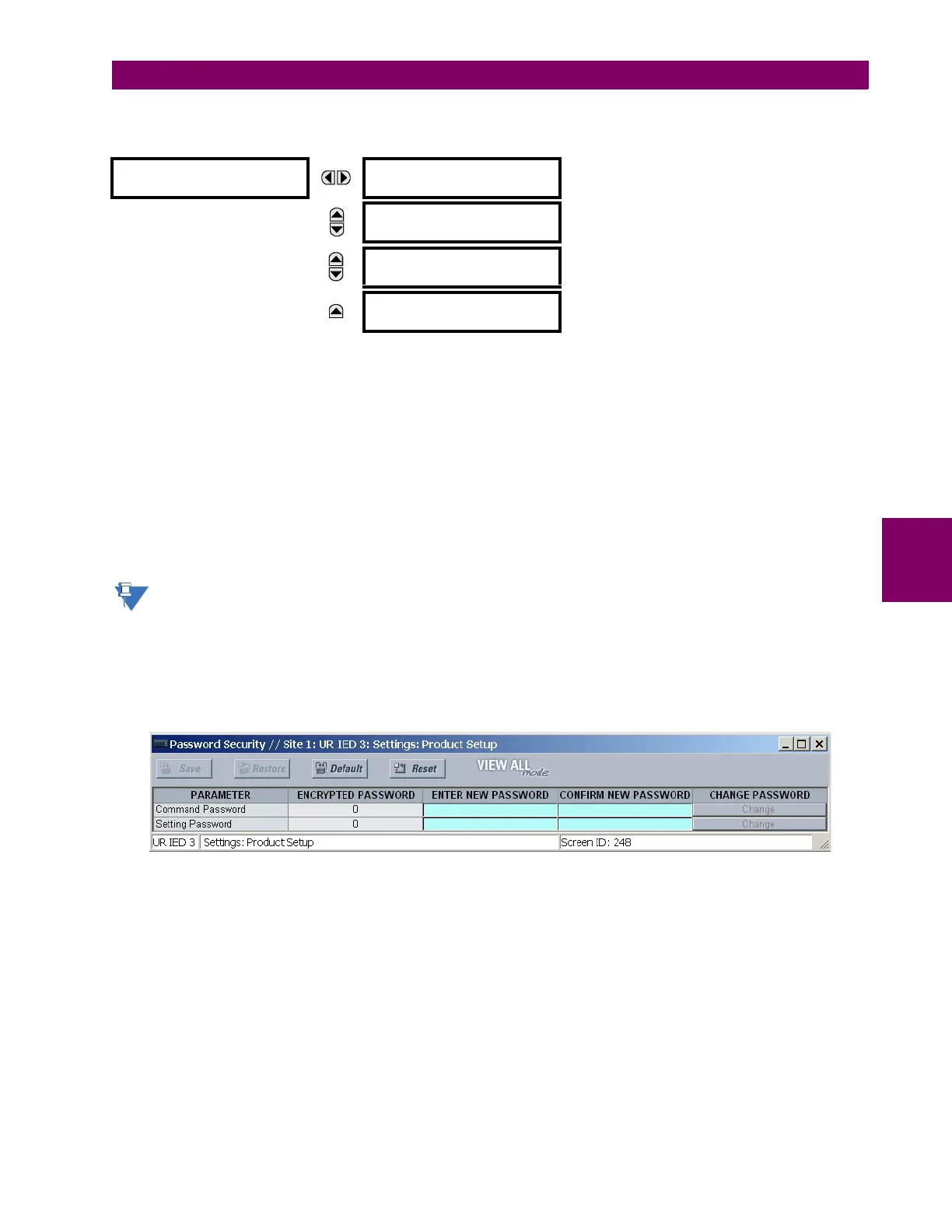
The remote password settings are only visible from a remote connection via the EnerVista UR Setup software. Select the
Settings > Product Setup > Password Security menu item to open the remote password settings window.
Figure 5–2: REMOTE PASSWORD SETTINGS WINDOW
Proper passwords are required to enable each command or setting level access. A command or setting password consists
of 1 to 10 numerical characters and are initially programmed to “0”. The following procedure describes how the set the com-
mand or setting password.
1. Enter the new password in the Enter New Password field.
2. Re-enter the password in the Confirm New Password field.
3. Click the Change button. This button will not be active until the new password matches the confirmation password.
CHANGE LOCAL
PASSWORDS
CHANGE COMMAND
PASSWORD: No
Range: No, Yes
MESSAGE
CHANGE SETTING
PASSWORD: No
Range: No, Yes
MESSAGE
ENCRYPTED COMMAND
PASSWORD: ----------
Range: 0 to 9999999999
Note: ---------- indicates no password
MESSAGE
ENCRYPTED SETTING
PASSWORD: ----------
Range: 0 to 9999999999
Note: ---------- indicates no password



 To Next Page