GE Multilin F35 Multiple Feeder Protection System 4-3
4 HUMAN INTERFACES 4.1 ENERVISTA UR SETUP SOFTWARE INTERFACE
4
4.1.4 ENERVISTA UR SETUP MAIN WINDOW
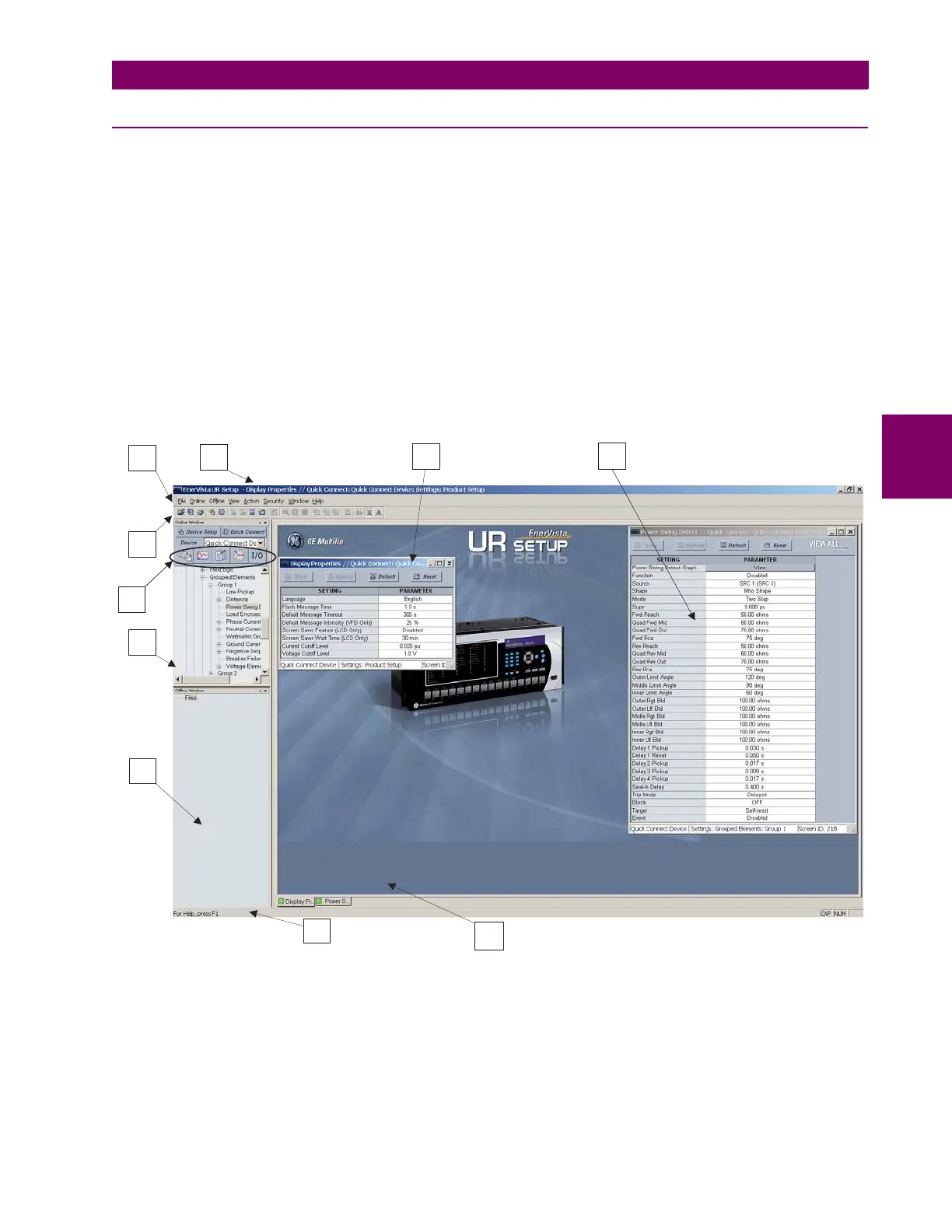
The EnerVista UR Setup software main window supports the following primary display components:
1. Title bar which shows the pathname of the active data view.
2. Main window menu bar.
3. Main window tool bar.
4. Site list control bar window.
5. Settings list control bar window.
6. Device data view windows, with common tool bar.
7. Settings file data view windows, with common tool bar.
8. Workspace area with data view tabs.
9. Status bar.
10. Quick action hot links.
Figure 4–1: ENERVISTA UR SETUP SOFTWARE MAIN WINDOW



 To Next Page