m
m
"0
:2
f
v
)
3
)
it.
0
E
€1)
0
Using the self-cleaning oven.
Never force the latch handle. Forcing the handle will damage the door lock mechanism.
The oven door must be closed and oil controls set correctly for the cycle to work properly.
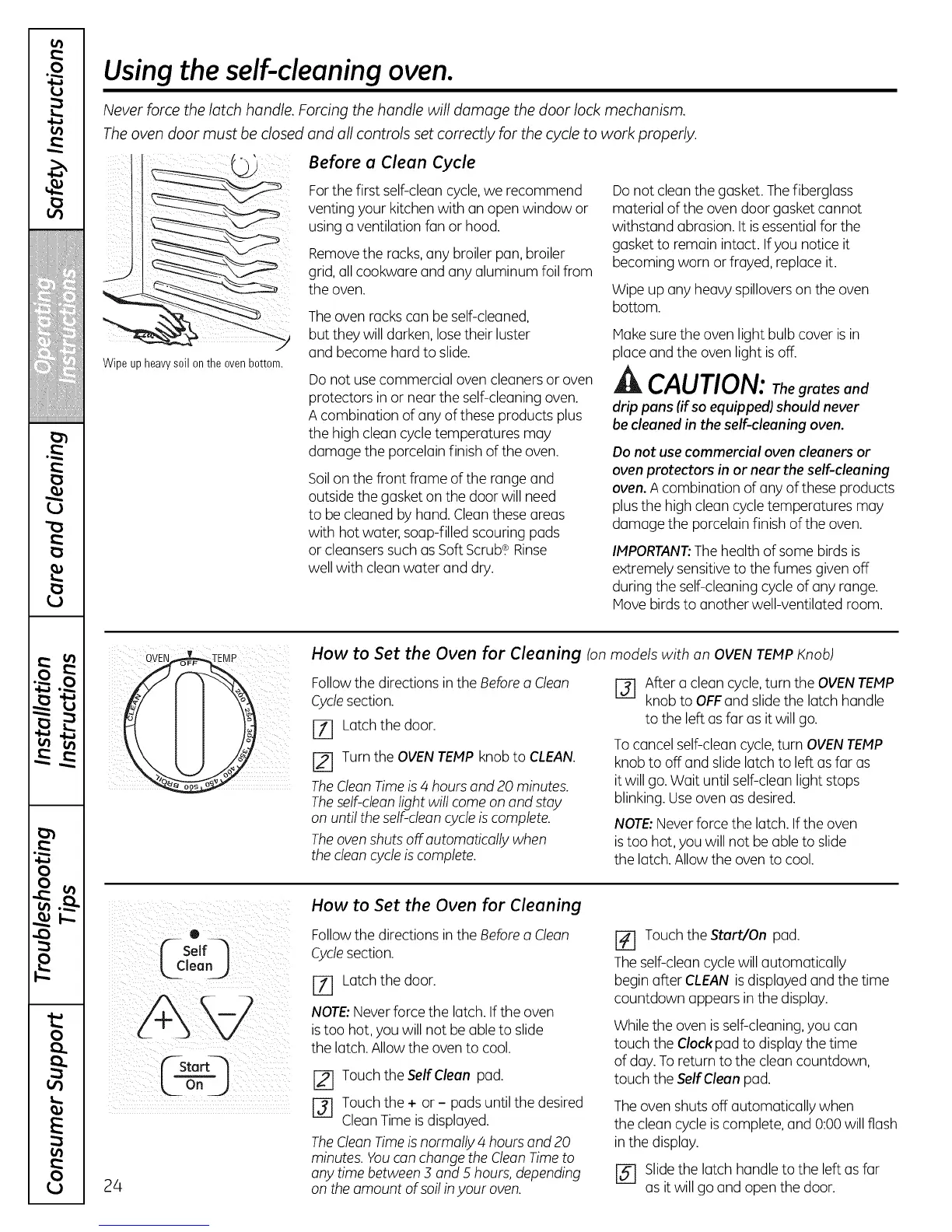
' Before a Clean Cycle
Wipe up heavysoil onthe ovenbottom.
Forthe first self-clean cycle,we recommend
venting your kitchen with an open window or
using a ventilation fan or hood.
Removethe racks,any broiler pan, broiler
grid,all cookware and any aluminum foil from
the oven.
Theoven rackscan be self-cleaned,
but they will darken, lose their luster
and become hard to slide.
Do not usecommercial oven cleaners or oven
protectors in or near the self-cleaning oven.
A combination of any of these products plus
the high clean cycle temperatures may
damage the porcelain finish of the oven.
Soilon the front frame of the range and
outside the gasketon the door will need
to be cleaned by hand.Clean these areas
with hot water,soap-filled scouring pads
or cleansers such as SoftScrub.¢ Rinse
well with clean water and dry.
Donot clean the gasket. Thefiberglass
material of the oven door gasket cannot
withstand abrasion. It isessentialfor the
gasket to remain intact. Ifyou notice it
becoming worn or frayed, replace it.
Wipe up any heavy spillovers on the oven
bottom.
Hake surethe oven light bulb cover is in
place and the oven light isoff.
ik CAUTION: Thegrates and
drip pans (if so equipped) should never
be cleanedin the self-cleaning oven.
Do not use commercial oven cleaners or
oven protectors in or near the self-cleaning
oven. A combination of any of these products
plusthe high clean cycletemperatures may
damage the porcelain finish of the oven.
IMPORTANT:The health of some birds is
extremely sensitiveto the fumes givenoff
during the self-cleaning cycle of any range.
Hove birdsto another well-ventilated room.
How to Set the Oven for Cleaning (on models with on OVEN TEMP Knob)
Followthe directions in the Before a Cleon
Cyclesection.
JT] Latch the door.
Turn the OVENTEMPknob to CLEAN.
TheCleon Timeis4 hours and 20 minutes.
Theself-clean light will come on and stay
on until the self-cleancycle is complete.
Theoven shuts off automatically when
the cleoncycleis complete.
[-31 After a clean cycle,turn the OVENTEMP
knob to OFFand slide the latch handle
to the left as far as it will go.
Tocancel self-clean cycle,turn OVENTEMP
knobto off and slide latch to left asfar as
itwill go.Wait until self-clean light stops
blinking. Useoven as desired.
NOTE:Neverforce the latch. If the oven
istoo hot, you will not be able to slide
the latch.Allowthe oven to cool.
0 _
( solfq
CStart_
24
How to Set the Oven for Cleaning
Followthe directions in the Before a Cleon
Cyclesection.
[71 Latch the door.
NOTE:Neverforce the latch.If the oven
istoo hot, you will not be able to slide
the latch.Allow the oven to cool.
Touch the Self Clean pad.
r-_ Touch the + or - pads until the desired
CleanTime is displayed.
TheClean Timeisnormally 4 hours and 20
minutes. Youcan changethe CleanTimeto
anytime between ._and 5 hours, depending
on the amount of soil inyour oven.
Touch the Start/On pad.
Theself-clean cyclewill automatically
begin after CLEAN is displayed and the time
countdown appears in the display.
While the oven isself-cleaning,you can
touch the Clock pad to display the time
of day. Toreturn to the clean countdown,
touch the Self Clean pad.
Theoven shuts off automatically when
the clean cycle iscomplete, and 0:00 will flash
inthe display.
[5-7 Slidethe latch handle to the left as far
as it will go and open the door.



 To Next Page