32 33
Basic Function Menu
The Basic Function menu includes ash, self-timer, macro, and
continuous capture.
Set the basic functions in the following steps:
Flash
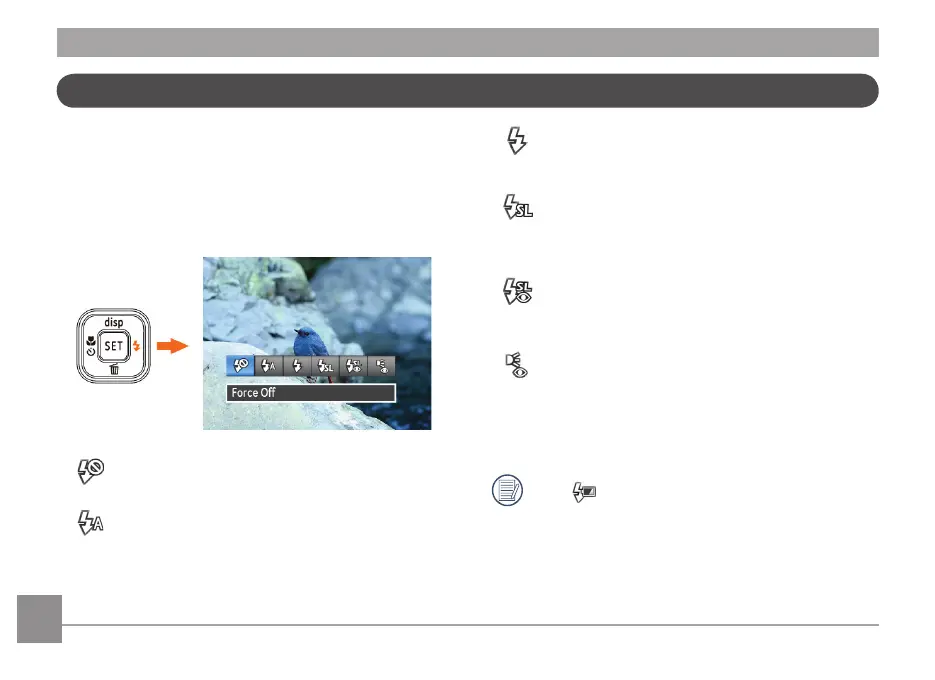
1. Press Right / Flash button to enter function menus.
• Force O
Flash is turned o.
• Flash Auto
Camera ash turns o automatically based on
existing light conditions.
• Force Flash
The ash will re with each shot even if there is enough
available light to take the photo without ash.
• Slow Sync.
This allows for night scenery photos that include
people in the foreground. The use of a tripod is
recommended when shooting with this setting.
• Slow Sync. + Red-Eye
Using this mode for slow synchro shots with red-eye
reduction.
• Red-Eye Reduction
The camera emits a brief ash before the picture is
taken to reduce red-eye eects.
2. Press Left/Right button to select the option setting, press
button to conrm the setting and exit the interface.
When appears, it represents the ash is charging.



 To Next Page