32 33
Self-Timer Setting
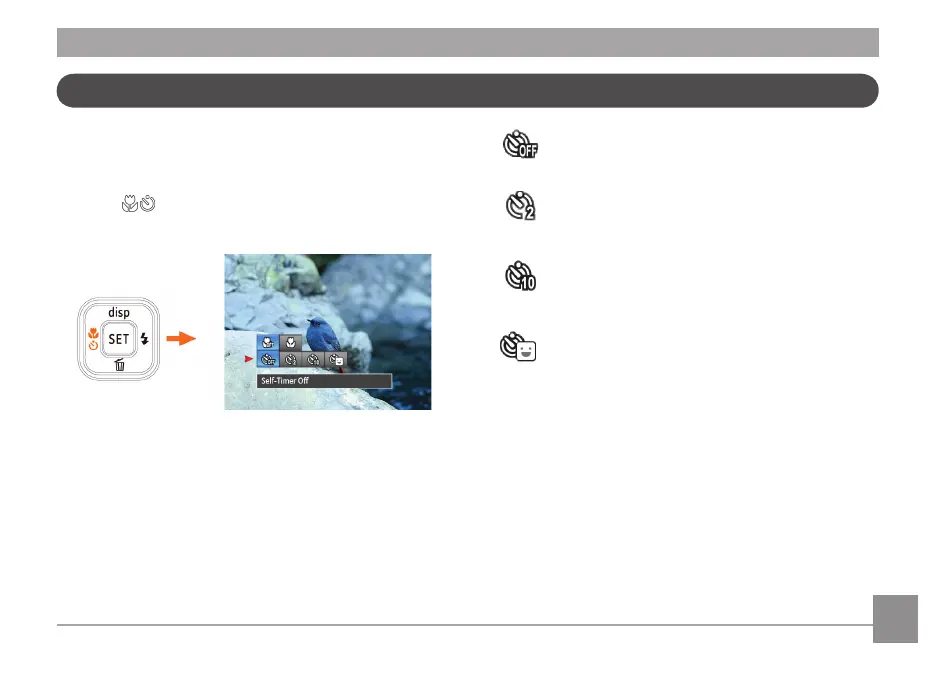
Use this function to take pictures at pre-set intervals. The
camera shutter speed can be set for 2 seconds, 10 seconds or
by smile detection.
1. Press
button to enter function menu.
2. Press Up / Down button to enter self-timer function menu.
3. Press Left / Right button to select self-timer function
menu.
• Self-Timer O
Disables the self-timer.
• Self-Timer - 2 sec
A single picture is shot 2 seconds after the Shutter
button is pressed.
• Self-Timer - 10 sec
A single picture is shot 10 seconds after the Shutter
button is pressed.
• Self-Timer Smile
Once the Shutter button is pressed a photo is taken
as soon as a smile is detected on the LCD screen.
4. Press the
button to conrm the settings and exit the
menu.



 To Next Page
 Loading...









