Installation
metalsurfacesareanodizedorpainted,scrapeoffasmallareainaninconspicuous
areaonthealuminumcasting,fortheprobetomakedirectcontactwiththemetal.
1.ConnecttheACpowercordtotheT2100Treadmill.
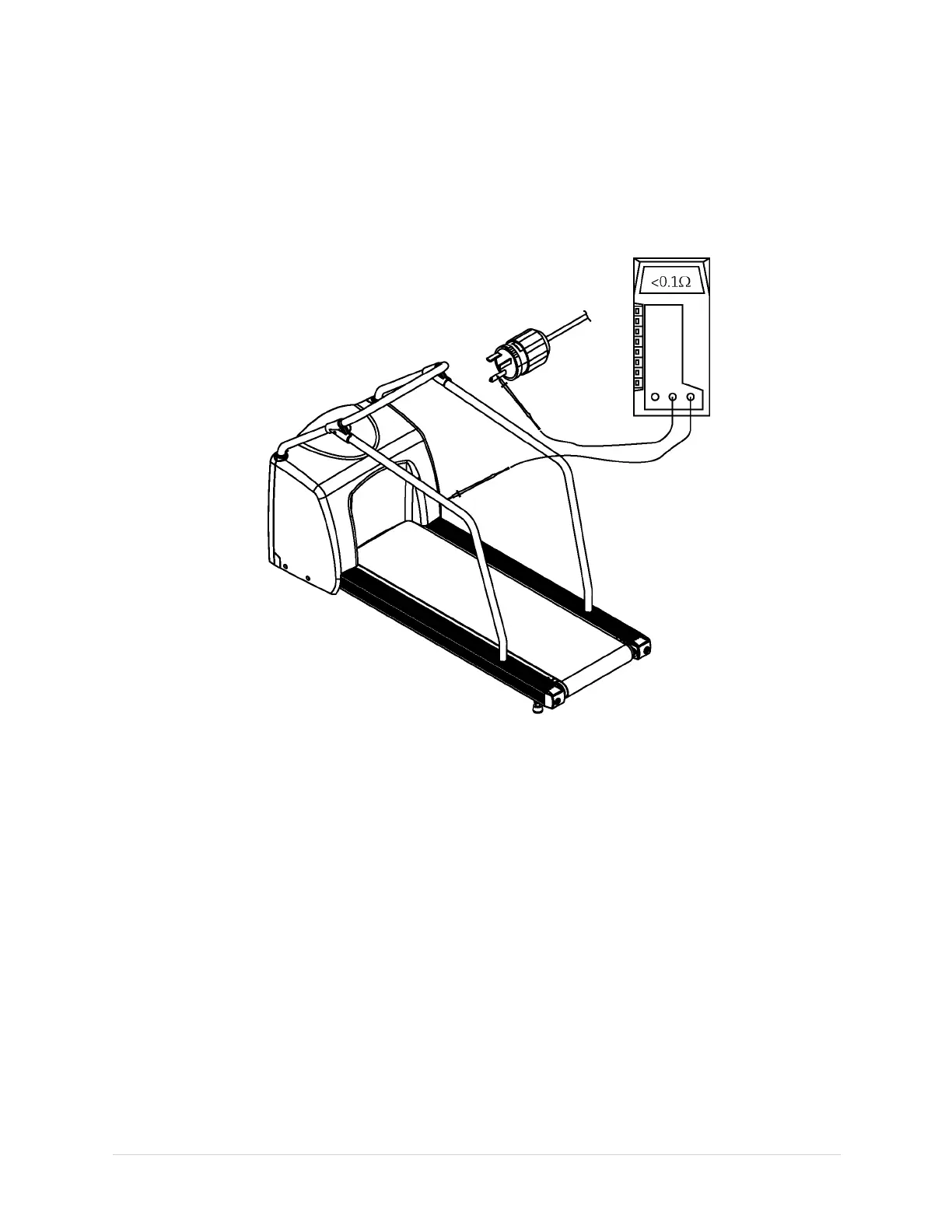
2.Useadigitalmultimetertocheckallthemetalsurfacesoftheequipmentas
illustratedbelow.Makeadjustmentsforanyresistanceinthetestleads.
Ifthemeasurementsaresignicantlyoutofrange,checkforbreaksinthepower
cordorintheinternalconnectionswithintheunit.
ConnectControllingDevices
1.Attachtheappropriatecontrollercablefromthestresssystem.Usethesupplied
interfacecabletoconnecttheT2100Treadmilltothehost(forexamplethe
CASE).
NOTE:
TheCASEandMAC5000STisconnectedtotheRS232SerialPort.
NOTE:
OntheCASEsystem,connecttheT2100Treadmillinterfacecableinoneof
thefollowingports:COM1,COM2,COMCorCOMD.TheCASERSSmodem
requirestheuseofeitherCOM1orCOM2.MovetheT2100Treadmill
interfacecabletoCOMCorCOMDonlyasnecessary.
2.Verifythattheemergencystopswitchisconnected.
3.ConnecttheACpowercord.
4.TurntheT2100TreadmillON/OFFswitchtotheOnposition.
5.TurnthecontrollingdeviceON/OFFswitchtotheOnposition.
44
T2100Treadmill
2021403-120F


 To Next Page