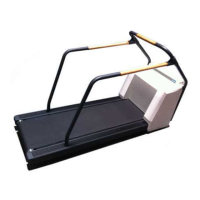
Installation
SecuretheCables
Tiedowncablestoensuretheydonotgetcaughtinthewheelsortheelevationracks.
CheckWalkingBeltTensionandTracking
Operatethewalkingbeltatvariousspeedsandverifythatittracksevenlydownthe
centerofthewalkingboard.Ifnot,adjustthewalkingbelttracking.See“WalkingBelt
TrackingAndTensionAdjustment”onpage54.
CheckEmergencyStopSwitch
1.ManuallycontrolthespeedoftheT2100Treadmillfromthecontrollingdevice.
Withthebeltmovingatarelativelyhighspeed,presstheemergencystop
switch.TheT2100Treadmillbeltwillstoppromptlybutthebeltwillnotlock,
allowingforremovalofforeignobjects.Toreleasetheswitch,turnthebutton
1/4turn.
2.Usethecontrollingequipmenttoterminatetheexercisesessionandturnoffthe
T2100Treadmill.
Self-Calibration
TheT2100Treadmillhasabuilt-inself-calibrationroutine.
WARNING:
INJURYTOPERSON.Keephands,hair,jewelry,andlooseclothingawayfrom
movingparts.
DonotplacefeetunderT2100Treadmillduringelevationchanges.Otherwise,
seriousinjurycouldresult.
WARNING:
INJURYTOPERSON.Duringtheself-calibrationprocesstheT2100Treadmillwill
elevatetoitsmaximumgrade.Makesureyoumonitorthesiteatalltimes.
MakesuretherearenocustomersorpatientsonorneartheT2100Treadmill
duringself-calibration.
Toactivatetheself-calibrationroutine,dothefollowing:
1.Removecontrollingdevice(CASE)cableorturnoffthecontrollingdevice.
2.Unlocktheemergencystopswitch.
3.ConnecttheACpowercordontheT2100Treadmilltothewalloutlet.
2021403-120F
T2100Treadmill
45


 To Next Page