Preset
Versana Essential – User Guide 3-7
5759238-100 English Rev. 2
Language Keyboard Setup (continued)
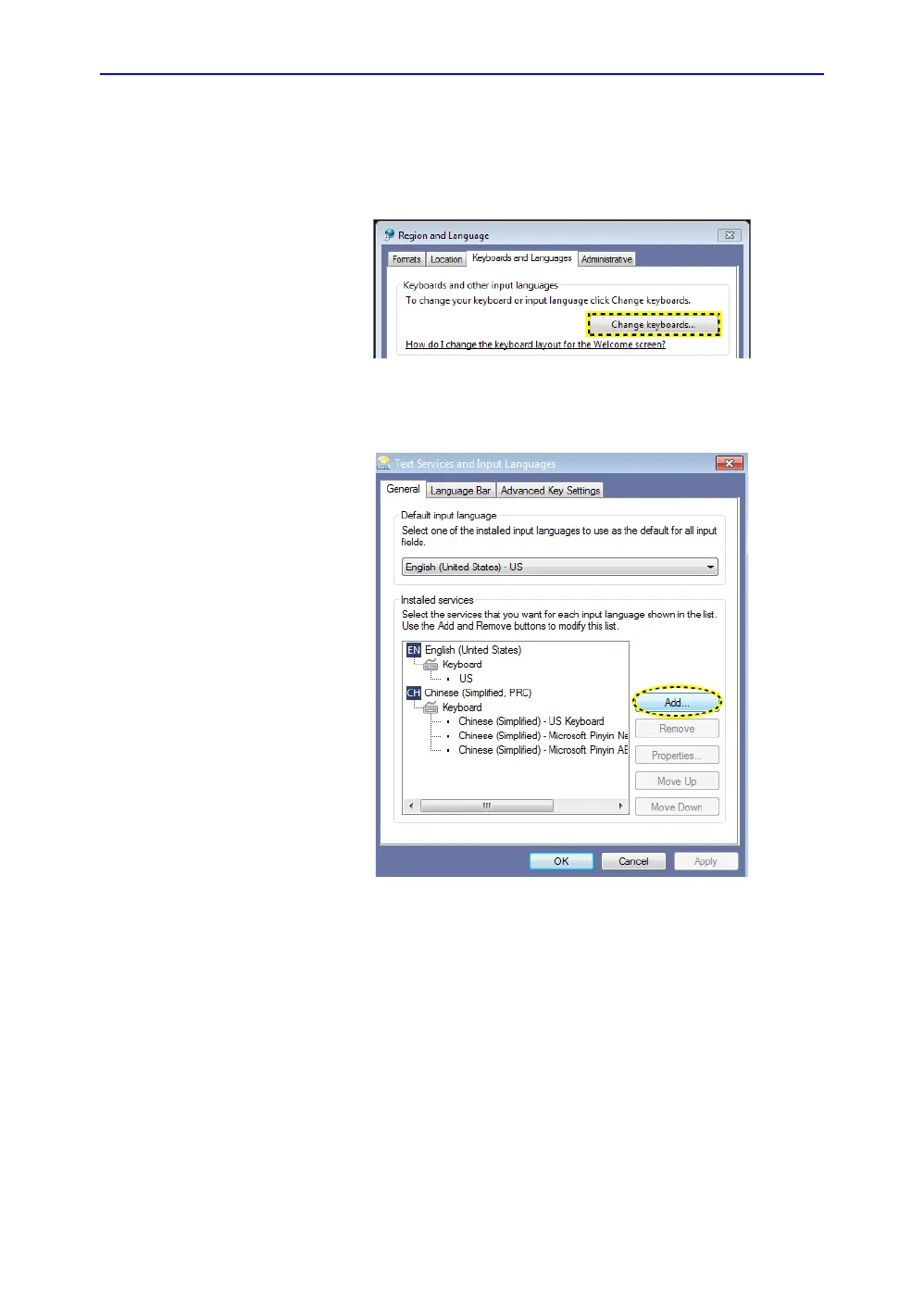
8. In the Keyboards and Languages tab, then select Change
keyboards....
Figure 3-8. Change Keyboard
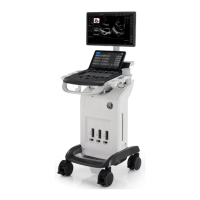
9. Select Add to add the installed services.
Figure 3-9. Add Service


 To Next Page