Beginning an Exam
Versana Essential – User Guide 1-51
5759238-100 English Rev. 2
Changing Current Patient to Existing Patient (without Patient ID)
To change the current patient (without patient ID) to an existing
patient, when there are some unsaved images on the clipboard
for the current patient:
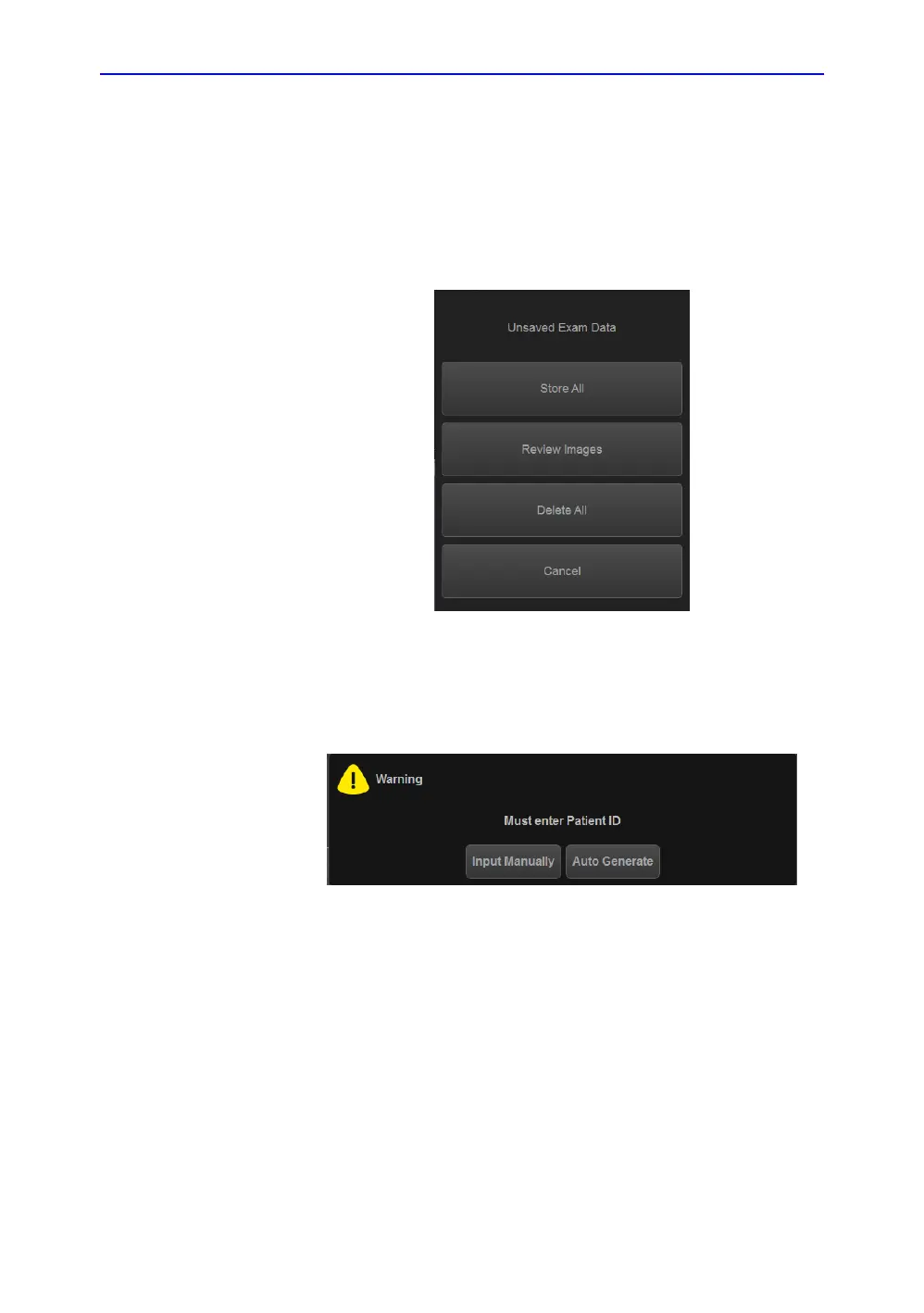
Select the existing patient from the patient list, the following
dialog displays.
Figure 1-26. Unsaved Exam Data
1. Store All All the unsaved images will be saved. The current
patient doesn't have Patient ID, the system will indicate to
enter patient ID.
Figure 1-27. Enter Patient ID
• Input manually Input the Patient ID and other
information manually, and then select Register to
register the new patient. And the system will display:
"Unsaved images, measurements or fetus number will be
linked to the current patient information, continue?" Select OK
to save the images.
• Auto Generate The system will generate a new patient
ID and the unsaved images will be saved to this new
patient automatically.


 To Next Page