After The Exam Is Over
3-10 Versana Essential – User Guide
5759238-100 English
Rev. 2
Language Keyboard Setup (continued)
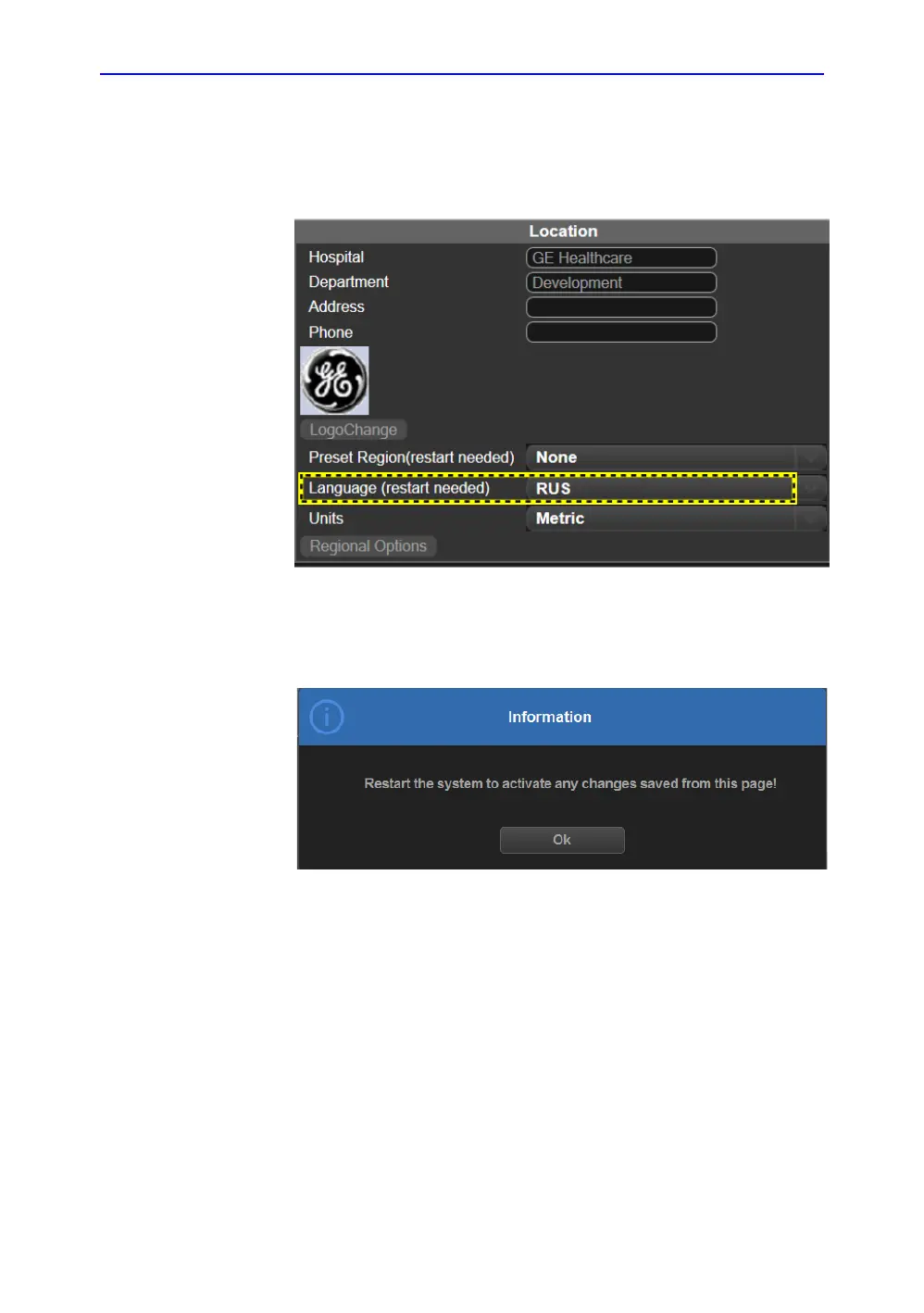
14. In Utility -> System -> General, select the language as
desired, and then select Save.
Figure 3-14. Change the System Language
15. The system will indicate to restart the system, select OK to
continue.
Figure 3-15. Information Window
16. When the system boots up, the system appears in the
selected language.
NOTE: To have the settings take effect, you MUST restart the system.
NOTE: Press Ctrl+Shift to change the input method, press Alt+Shift to
change the input language.


 To Next Page