page | 37
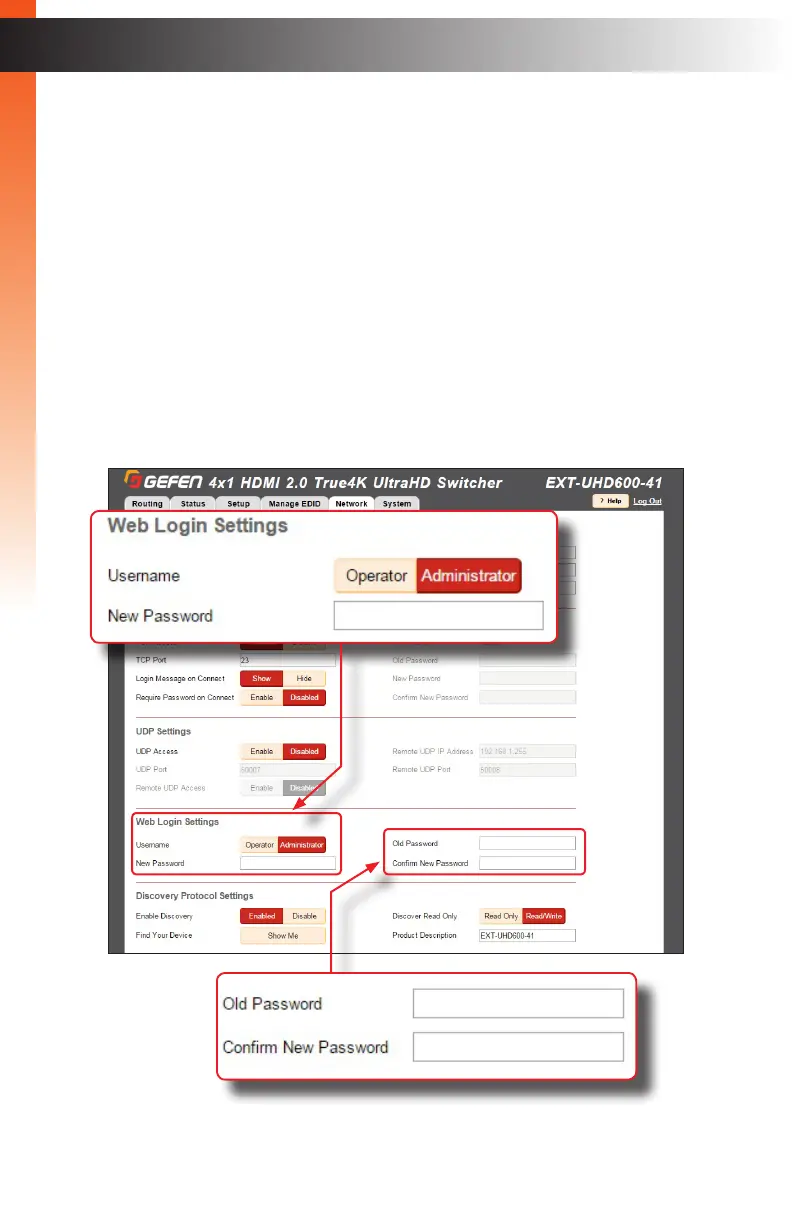
► Web Login Settings
• Username: To change the password for the Administrator, click the
Administrator. Otherwise, click the Operator button.
• New Password: Enter password for the selected username (above),
in this eld. Passwords are case-sensitive.
• Old Password: Enter the old (current) password in this eld. Passwords are
case-sensitive.
• ConrmNewPassword: To conrm the new password, re-enter the new
password in this eld. Passwords are case-sensitive.
The default password for the Administrator username is Admin.
The default password for the Operator username is O per at o r .
Basic Operation
The Web Interface


 To Next Page