190 • Chapter 7 - Parameters Description AGy-EV Instruction manual
7.8 Menu C - COMMANDS
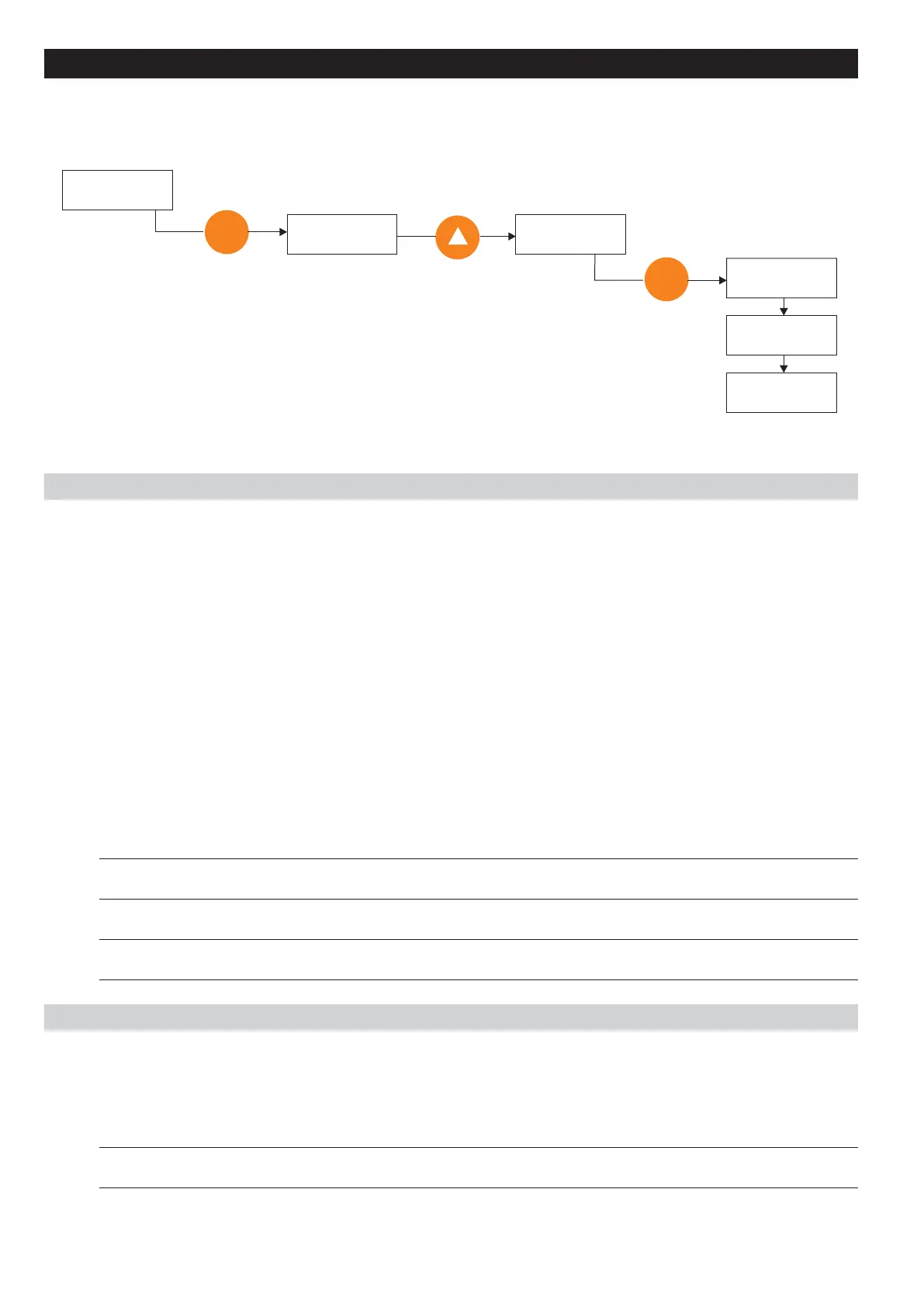
All the parameters of the COMMAND menu need to be executed according to the procedure listed below.
Save parameters command is used as example.
COMMAND C000
Save parameters
E
Save parameters
Confirm? NO
E
Save parameters
Run
Save parameters
Done
COMMAND C000
Save parameters
Save parameters
Confirm? YES
Basic
C.000Save parameters
Every modification of parameter value has immediate effect on drive operation, but is not automatically stored
in permanent memory
The Save parameter command is used to store the set of parameters currently in use in permanent memory.
The drive signals the presence of unsaved parameters by blinking the dedicated yellow LED (Prg) on the
keypad.
When the drive is turned off, all unsaved modifications are lost.
C.001Recall param
The function recalls the parameters that were previously stored, replacing the ones currently in use.
C.002Load Deafult
Recall of the factory parameters.
Code LCD display [Code] & LCD select. Default MIN MAX Unit Variation IPA
C.000 Save parameters (1) (1) (1) (2) 800
(2)
C.001 Recall param (1) (1) (1) (2) 801
(2)
C.002 Load default (1) (1) (1) (2) 802
(2)
Alarm Register Reset
C.020Alarm clear
The function resets completely the Alarm List register (D.800…D.803).
Code LCD display [Code] & LCD select. Default MIN MAX Unit Variation IPA
C.020 Alarm clear (1) (1) (1) (2) 803
(2)



 To Next Page