Chapter 2 - Installation 29
© 2018 Geist
GM1196 R-Series v5 Instruction Manual
Locate the entry under LAN or High-Speed Internet or Local Area Connection which
corresponds to the network card (NIC).
NOTE
Most computers will have a single Ethernet NIC installed, but a
WiFi or 3G adapter will also show as a NIC in this list, so be
sure to choose the correct entry.
Double-click on the network adapter's entry in the Network Connections list to open its
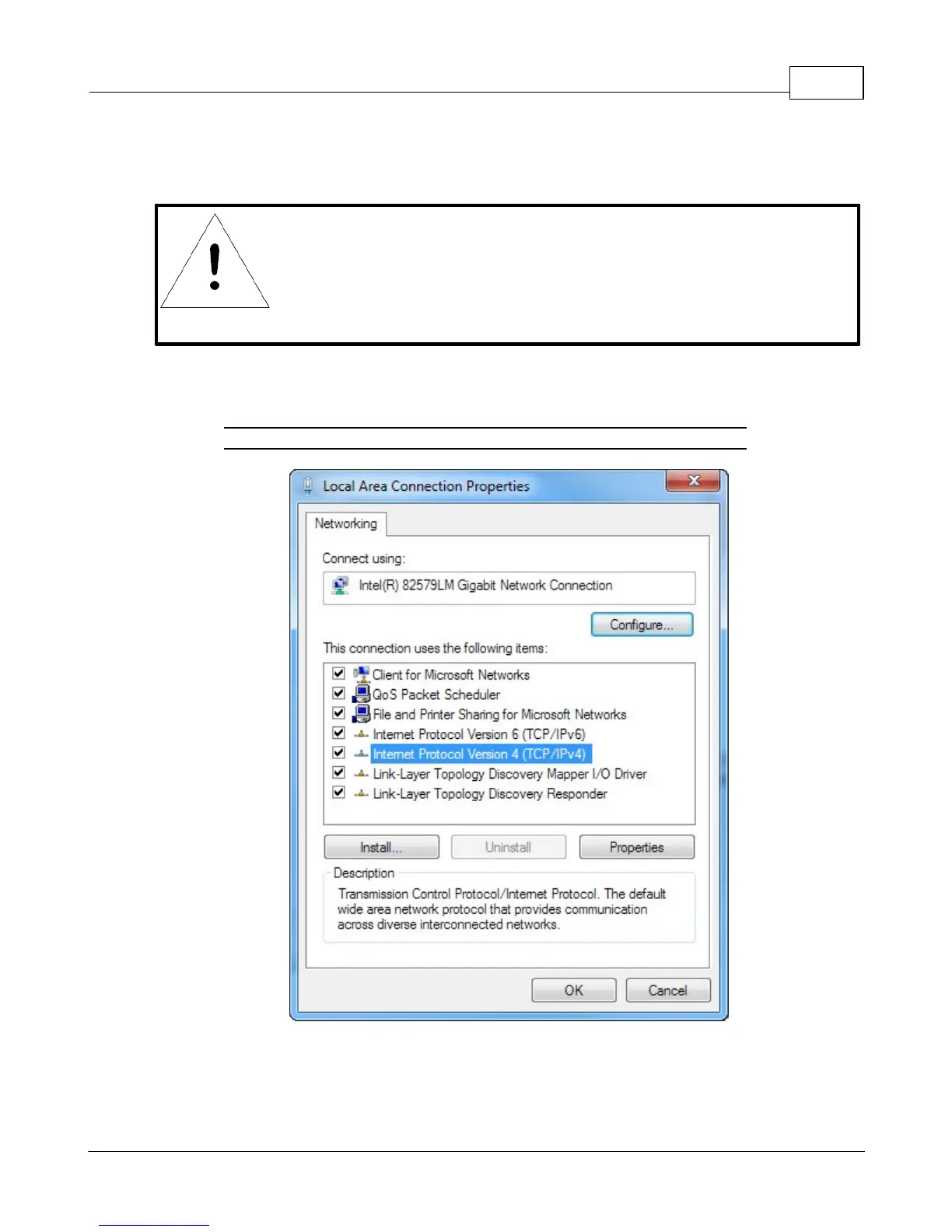
status dialog box, then click the Properties button to open the Local Properties window.
Figure 2-15 Local Area Connection Properties
Find the entry titled "Internet Protocol Version 4 (TCP/IPv4)" in the list, then click the
Properties button to open the Internet Protocol Properties window. If you see more



 To Next Page