R-Series v5 Instruction Manual68
© 2018 Geist
GM1196 R-Series v5 Instruction Manual
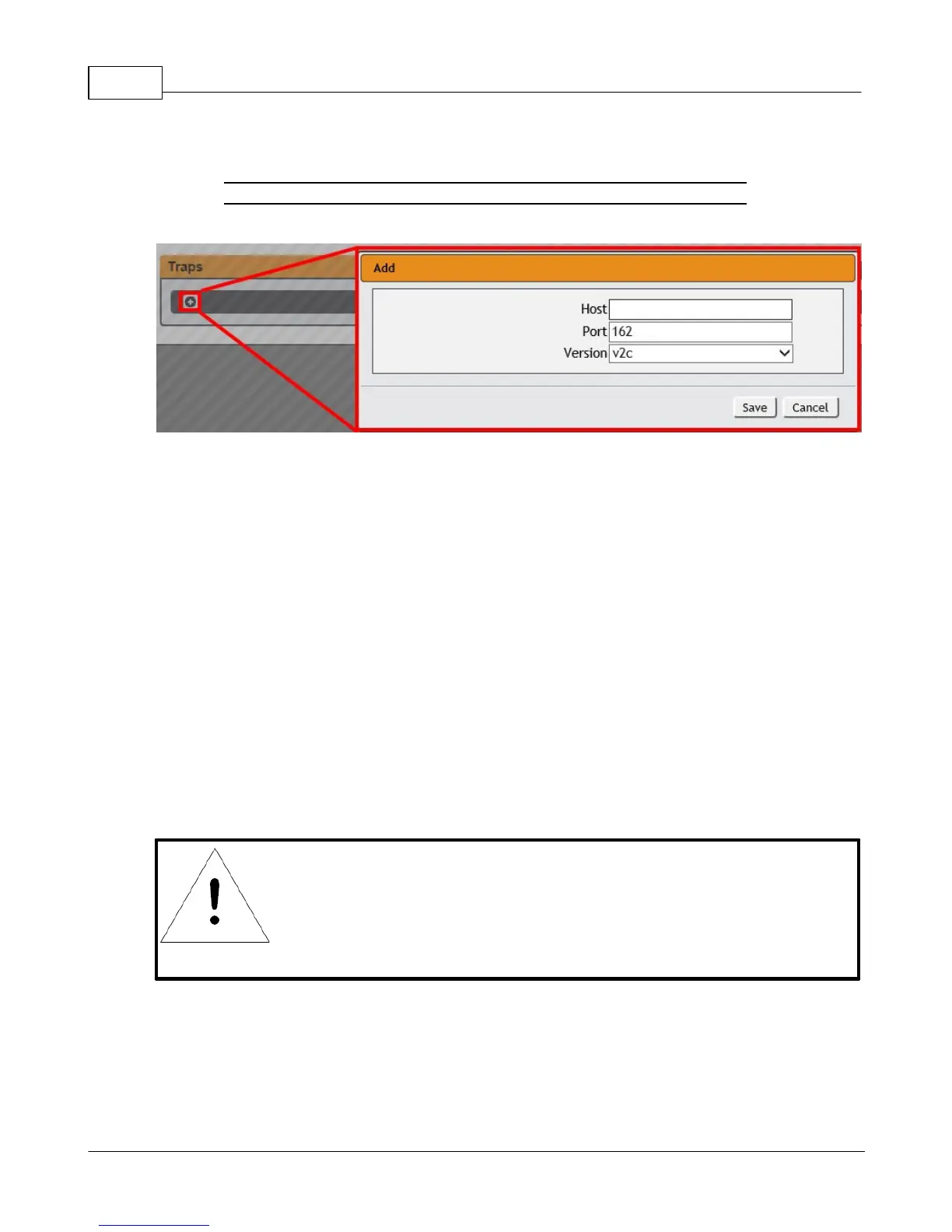
Traps allow you to define the trap destination IP address, the trap port number and the
type of SNMP trap to be used.
Figure 3-43 SNMP Traps/Types IP Configuration Page
To configure a trap destination:
1. Locate the Traps section of the SNMP page, and click on the Add icon.
2. Enter the IP Address which the trap should be sent to in the Host field, change the
Port number if required, select the trap Version to be used (v1, v2c, or v3), and click
Save.
A test trap may be sent by clicking on the Test icon next to the Host IP address. Trap
settings can also be updated/changed by clicking the Modify icon next to the Host IP
address.
Syslog
Syslog data can be captured remotely but must first be setup and enabled via the Syslog
page.
NOTE
This function is primarily only useful for diagnostic purposes,
and should normally be left Disabled unless advised to enable it
by Geist technical support for troubleshooting a specific issue.



 To Next Page