R-Series v5 Instruction Manual46
© 2018 Geist
GM1196 R-Series v5 Instruction Manual
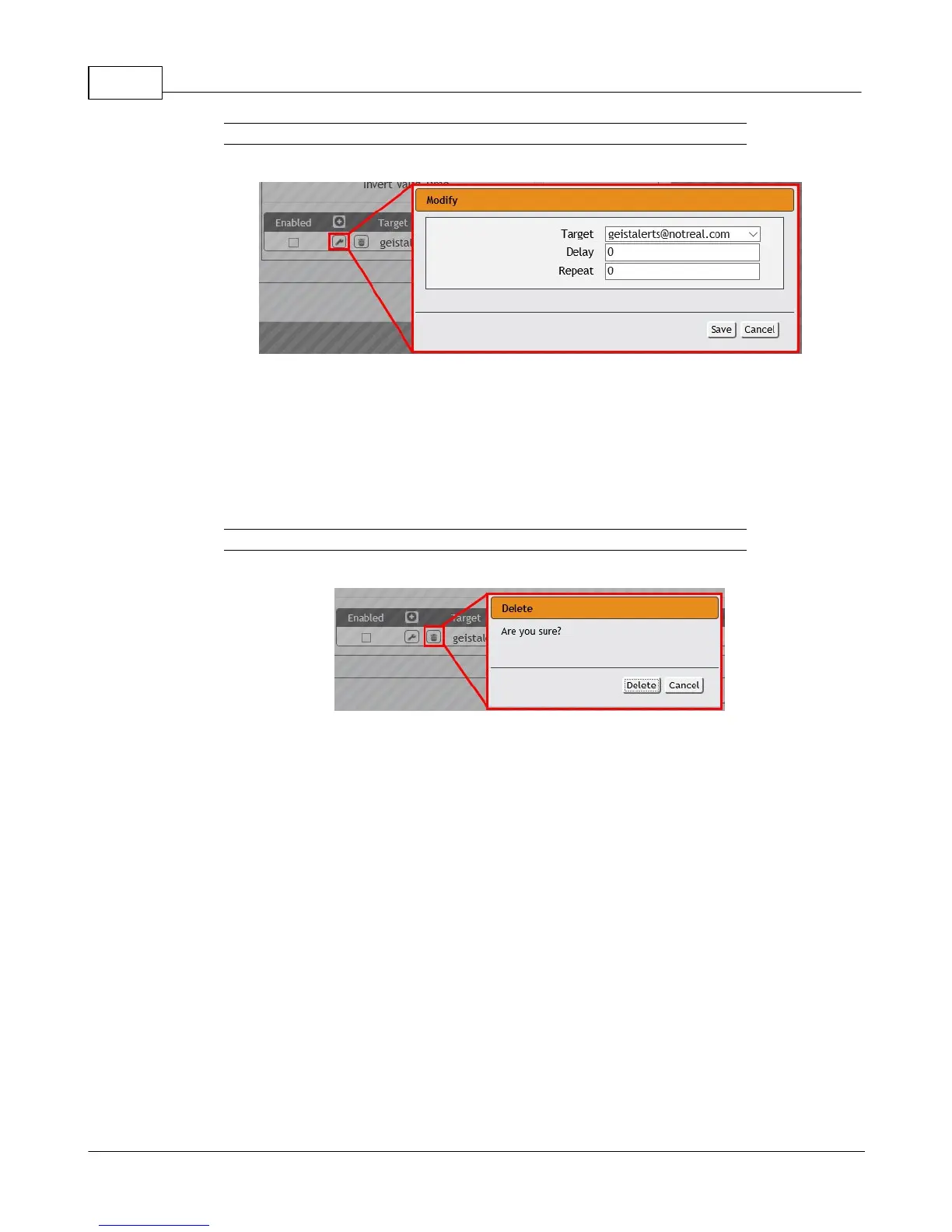
Figure 3-12 Modify Action
Once an Action has been added, each Action has its own checkbox in the "enabled"
column at the far left. The default is unchecked (disabled) when you first add each
Action; set the checkbox to enable it. (This allows you to selectively turn different
Actions on and off for testing.)
To remove a notification Action entirely, click the Delete icon to remove the Action
from the list, then click Delete to confirm:
Figure 3-13 Delete Action
3. When finished, click Save to save this Alarm or Warning event.
To change an existing Alarm or Warning Event:
Click the Modify icon next to the Alarm or Warning Event you wish to change, then modify
its settings as above.
To delete an existing Alarm or Warning Event:
Click the Delete icon next to the Alarm or Warning Event you wish to change, then click
Delete to confirm.
Logging
The Logging page allows the user to access the historical data recorded by the PDU
by selecting the desired sensors and time range to be logged.



 To Next Page