Chapter 3 - Setup 61
© 2018 Geist
GM1196 R-Series v5 Instruction Manual
5. Select the Target email address for the reports to be sent.
6. Click OK to save changes.
To Delete a scheduled Report:
1. Click on the Delete icon next to the report to delete.
2. Click the OK button on the pop-up window to confirm.
LDAP
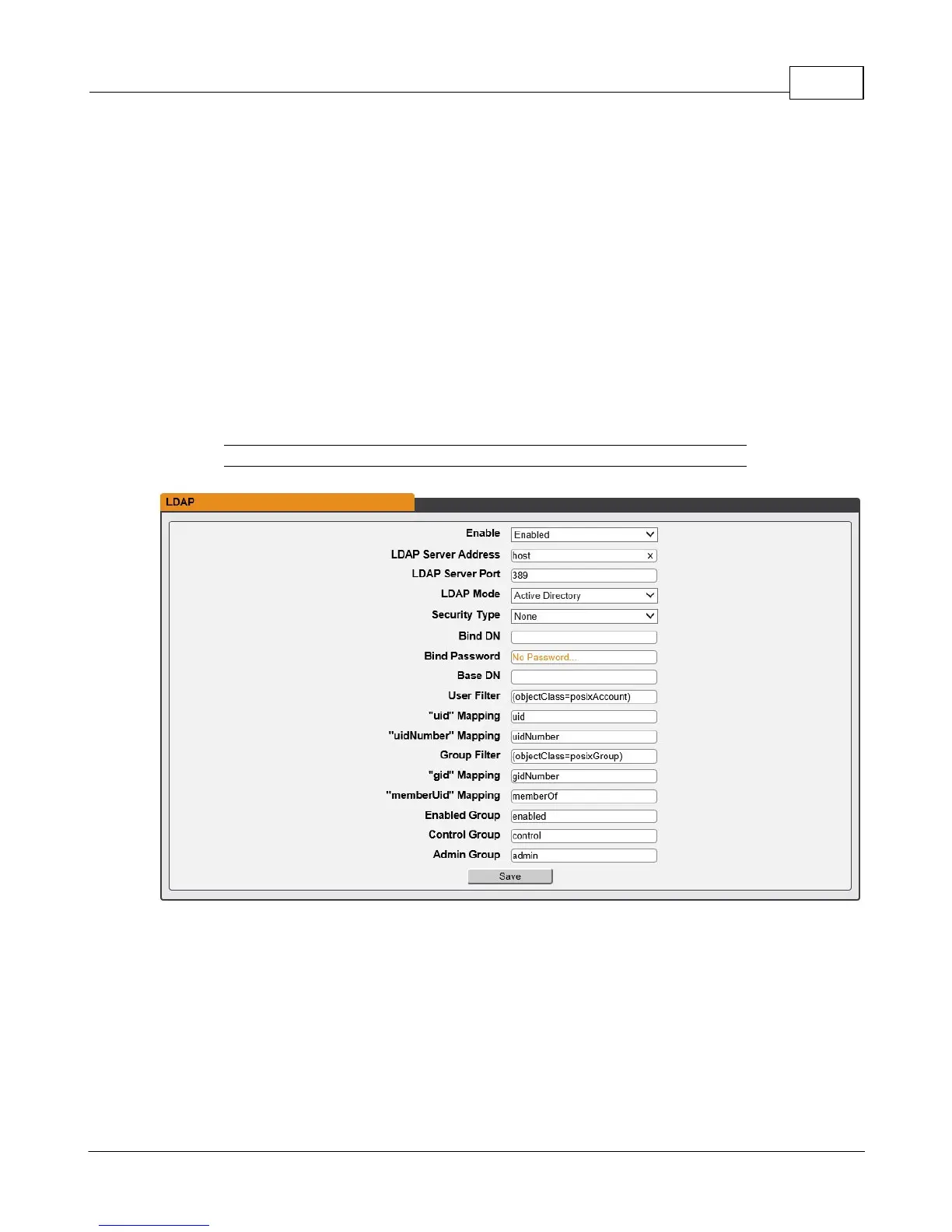
The Lightweight Directory Access Protocol (LDAP) can be setup through this menu.
Figure 3-33 LDAP Menu
· Enable: Enabling or Disabling LDAP.
· LDAP Server Address: Specify the host address for LDAP. The "HOST" can be an
IPv4 address, an IPv6 address in brackets (ie. [2001:0DB8:AC10:FE01::]), or a host
name.
· LDAP Server Port: Used to set the LDAP port number. The default port for LDAP is
389.



 To Next Page