Chapter 2 - Installation 31
© 2018 Geist
GM1196 R-Series v5 Instruction Manual
page to configure the device's network properties. The unit's IP Address, Subnet Mask,
Gateway, and DNS settings can either be assigned manually, or acquired via DHCP.
Note that the new settings will take effect when the Save button is clicked. The browser
will no longer be able to reload the web page from the 192.168.123.123 address and will
probably display a "page not found" or "host unavailable" message. This behavior is
normal. Once you have finished configuring the unit's IP address, simply repeat the steps
above, and change the computer's Ethernet NIC card settings back to the ones you wrote
down prior to changing them, to restore its normal network and internet settings.
Mac
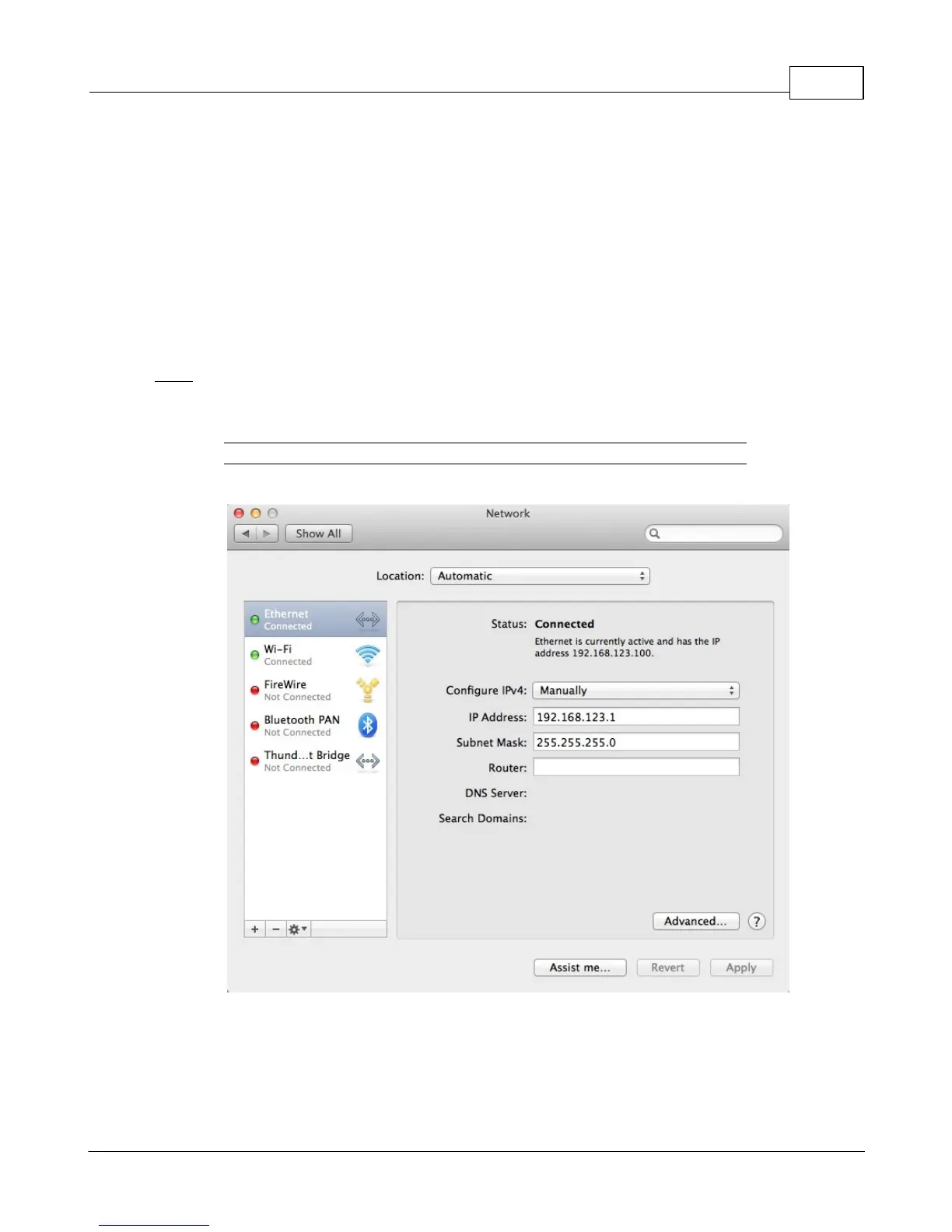
Click the System Preferences icon on the Dock, and choose Network.
Figure 2-17 Mac System Preferences
Be sure Ethernet is highlighted on the left side of the NIC window. In most cases, there
will be one Ethernet entry on a Mac. Write down the current settings so you can restore
them to normal after you have completed the setup procedure.



 To Next Page