Chapter 3 - Setup 41
© 2018 Geist
GM1196 R-Series v5 Instruction Manual
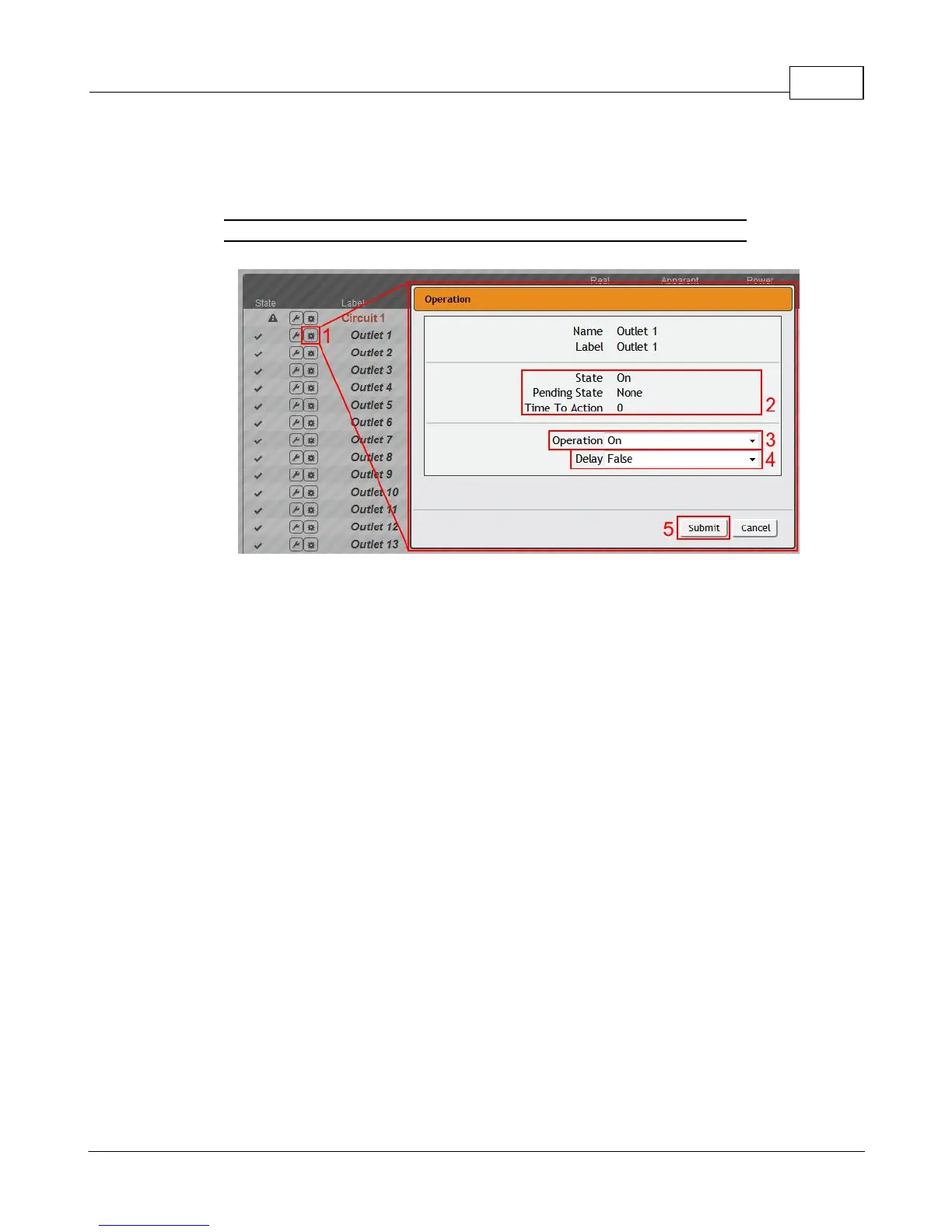
Outlet Operation:
1. Click the desired Outlet Operation icon.
Figure 3-7 Outlet Operation Page
2. The outlet's state is described by three descriptors:
· State describes the outlet's current state (On/Off).
· Pending State describes the state the outlet is currently transitioning to, if it is in the
process of switching.
· Time To Action describes the time left before the pending action will take place. This
is adjusted using Delays.
3. Select the operation you wish to perform:
· On/Off turns on/off the selected outlet.
· For an outlet currently on, Reboot cycles the outlet off, then back on after the reboot
hold delay. For an outlet currently off, Reboot turns the outlet on.
· Cancel will cancel the current operation if it has not been completed yet.
· Reset Energy will reset the total Energy measured in kWh for the selected outlet.
· Reset Min Max Values will reset Min and Max values for Voltage and Current
4. For operations involving the state of the outlet, setting Delay to True will use the
current Delay configuration for each outlet when performing the selected operation.
Delays are configured in "Outlet Configuration".
5. Select Submit to issue the action.



 To Next Page