V 03/13
OptiSpray DPP01 Start-up and operation • 17
OptiSpray DPP01 - operating elements
LEDs and operating keys
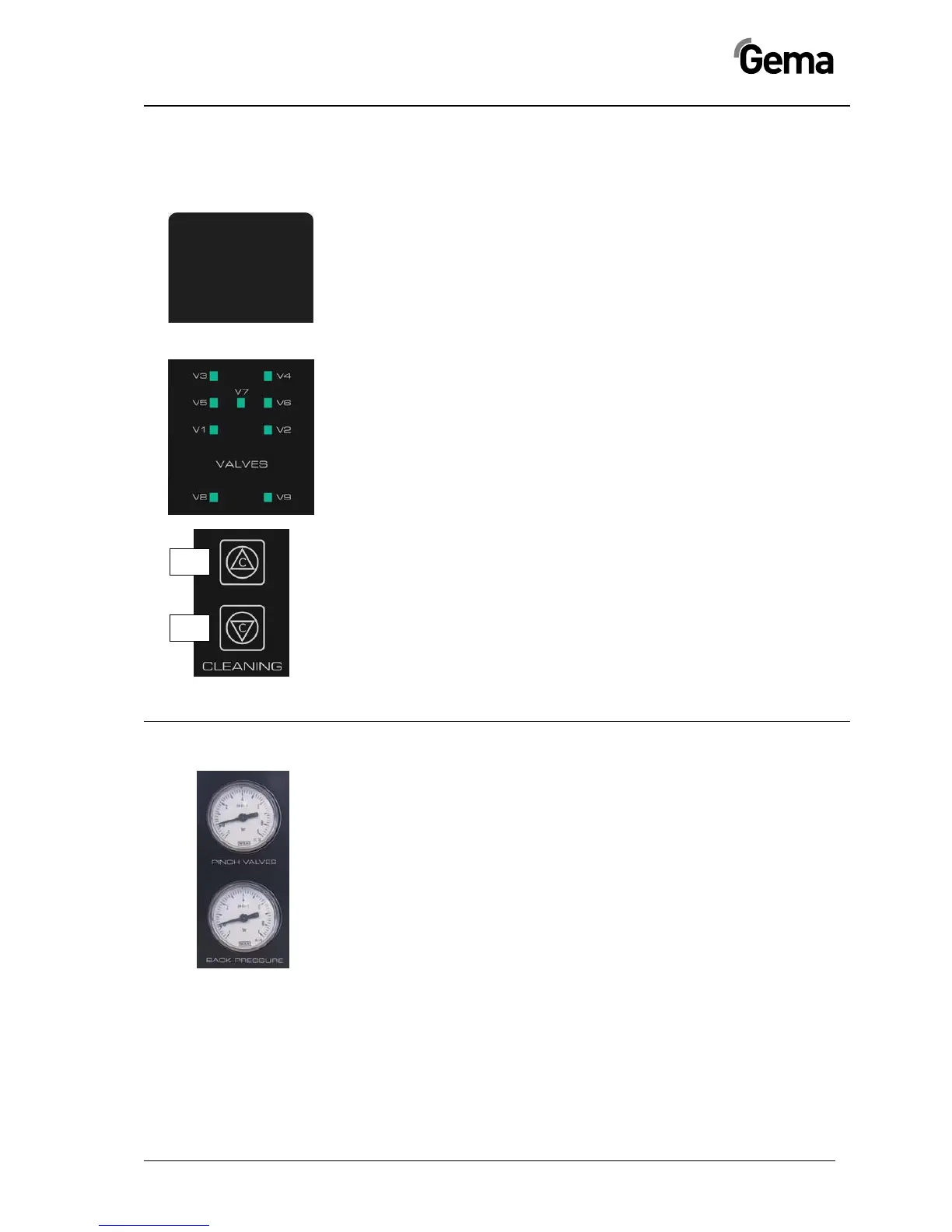
Status LEDs
Power - equipment is switched on
Status - reserved
Error - reserved
Diagnostic LEDs
These LEDs are assigned to the corresponding valves and illuminate
when the valve is activated. If the LED does not or does constantly illu-
minate, a valve or the controlling by the control unit can be defective.
Operating keys
Key T1 - rinsing in conveying direction (in upwards direction)
Key T2 - rinsing in suction direction (in downwards direction)
The cleaning programs can be terminated by pressing any key.
Pressure display
Pinch valve pressure (PINCH VALVES)
This pressure gauge indicates the adjusted pinch valve pressure. This
value is set on 2.4 bar by factory.
Backpressure (BACK PRESSURE)
This pressure gauge serves for the procedure monitoring. In normal op-
eration, the value ranges between 0.3 and max. 1.0 bar.


 To Next Page