第 1 页 共 16 页
AS58 Operation Panel(HMI)Instruction
1 Operation Panel Instruction
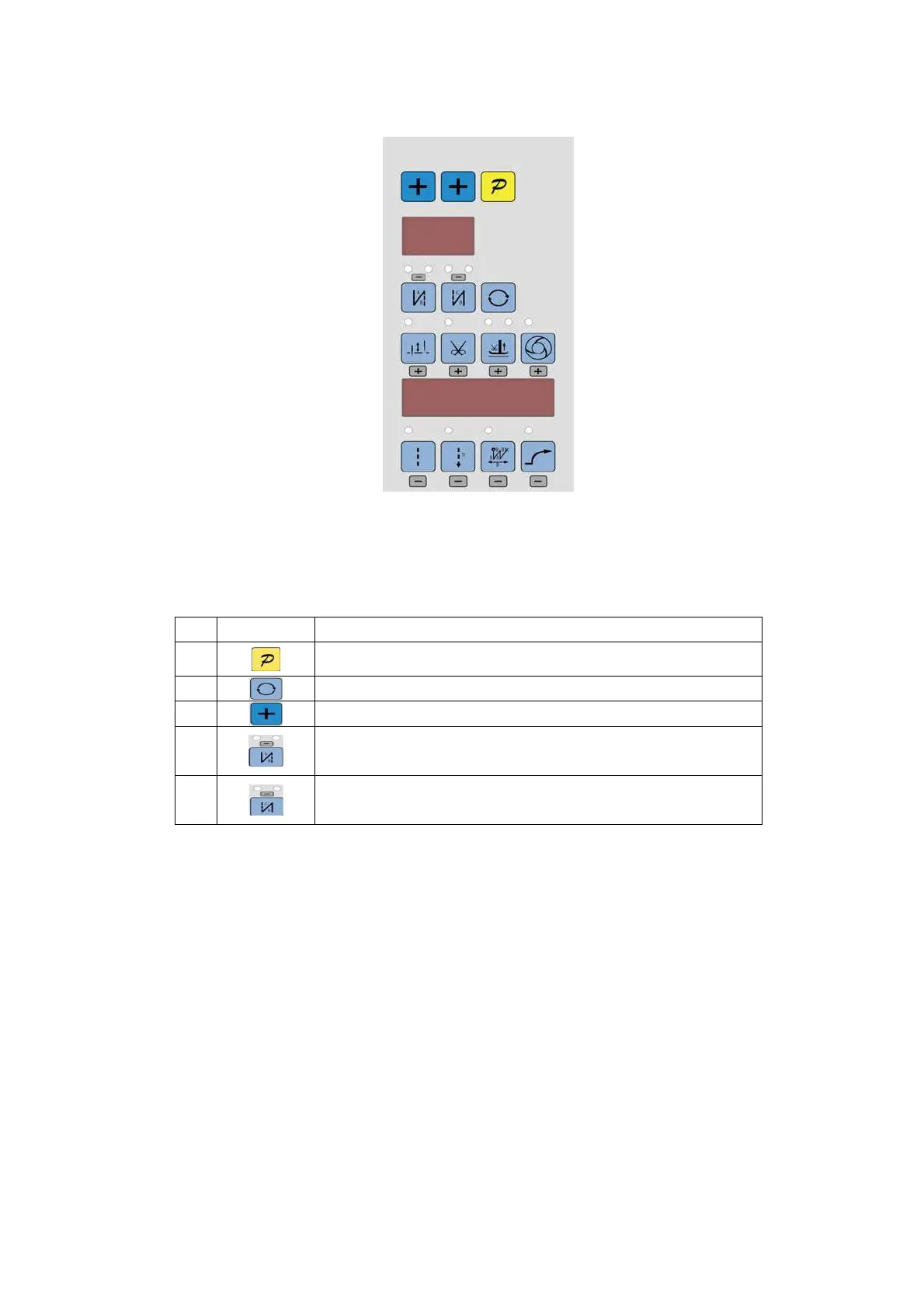
Operation Panel(See Fig1-1)is divided into two area:LCD display area and keys operation area.
Fig.1-1
Digital display area is composed of 6 digital tubes, used to each parameter setting. There are 14 keys
that used to display the key function open or not. Parts of keys have LED light. Table 1 shows function of
each key.
Table 1: Following form is the instruction of each key:
No Appearance Description
1
Function key:Confirm working, or work with other key.
2
Cycle key:Switch parameter position when change parameter;
3
Plus key: Corresponds to the parameter addition 1
4
start back tacking key:Round with single start back tacking; double start back tacking; quad
start back and close start back tacking. The 2 LED on the top of the key show current status.
5
end back tacking key:Round with single end back tacking; double end back tacking; quad end
back tacking and close end back tacking. The 2 LED on the top of the key show current status.



 To Next Page