Manual Part No.: 119514-00 Rev. 03
4.1.3 Battery Access
The transmitter is made up of two components: the radio and the housing. The radio sits inside
of the housing. The radio contains the battery compartment and USB connector.
Users will need to remove the radio from the housing in order to replace and/or charge the
batteries. To access the radio, perform the following steps.
NOTE: DO NOT pull on the antenna to remove the radio. Doing so will damage the device.
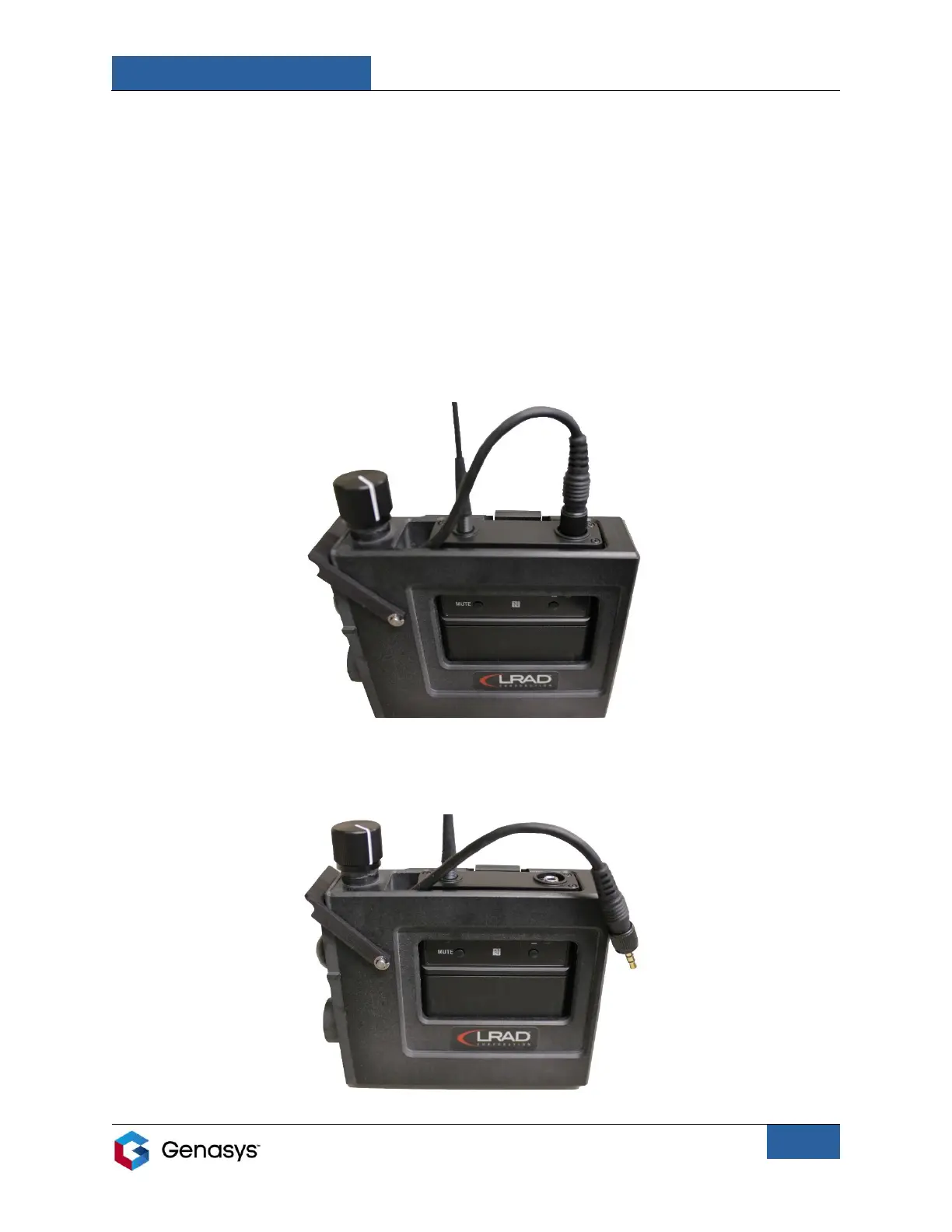
1. Pull the release tab on the rear of the housing and push the radio up using both thumbs
until the locking connecter on the top can be accessed, as seen in the figure below.
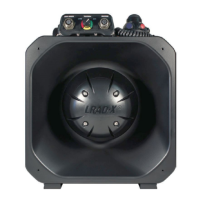
2. Unscrew and remove the 3.5-millimeter connector cable from the radio.
Figure 2: Radio Partially Pushed Up
Figure 3: Transmitter Connector Wire Removed from Radio


 To Next Page