Manual Part No.: 119514-00 Rev. 03
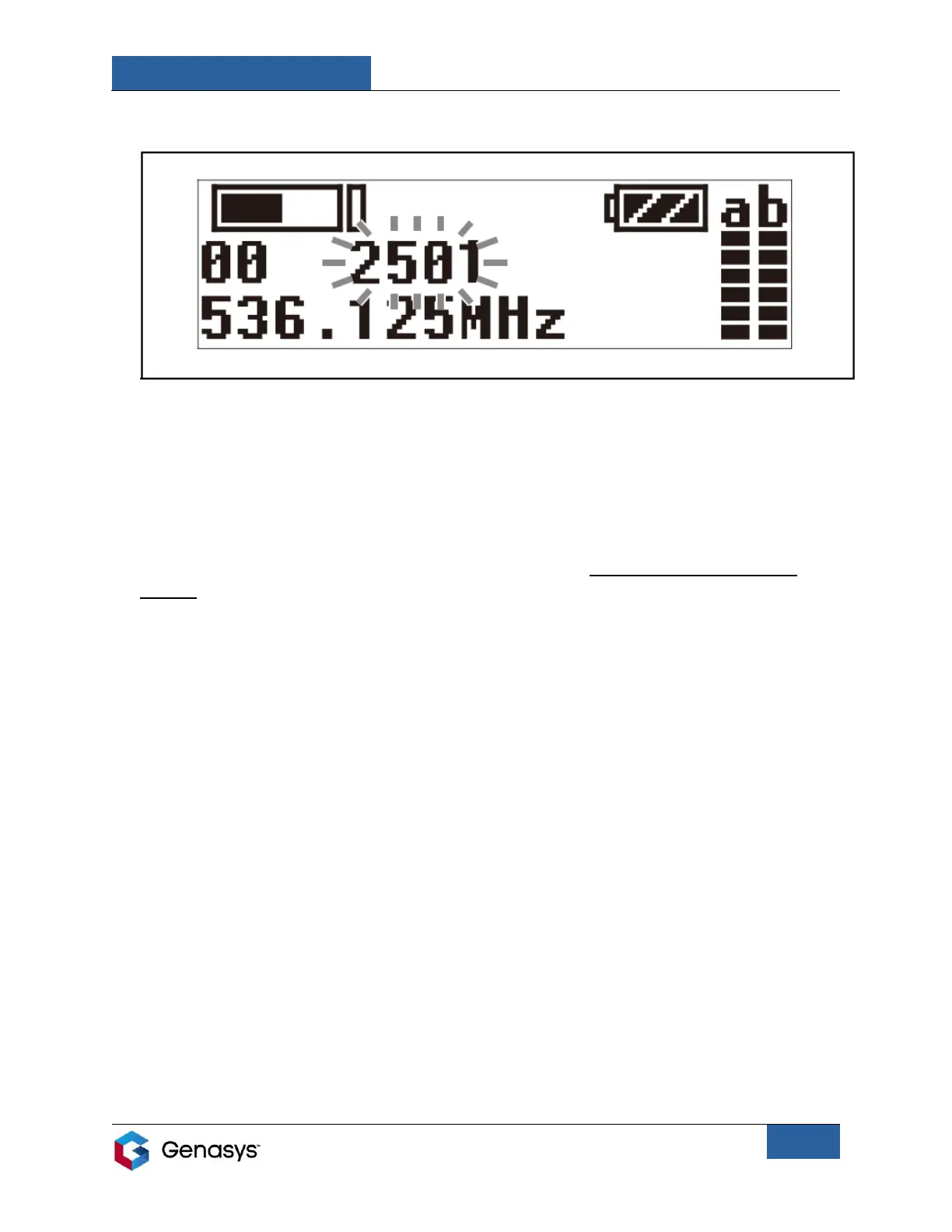
4. Once the channel group is set, the channel number will start flashing (Figure 10).
5. Use the SELECT buttons to scroll through channel numbers. Then press the SET button to
choose the desired channel number. The channel number is now set and the screen will
stop flashing.
Manual Channel Selection on Transmitter:
1. Power on the transmitter by pressing and holding both the POWER button and the SET
button.
• If SET button is not pressed when powering on the transmitter, you will not be able
•to change the channel group and channel number.
2. Make sure the screen displays the GP/CH menu.
• If this menu is not displayed, use the SELECT buttons to scroll through menus.
3. Press and hold the SET button until the channel group starts flashing (Figure 9).
4. Use the SELECT buttons to scroll through channel groups. Then press the SET button to
choose the desired channel group. The channel group is now set.
5. Once the channel group is set, the channel number will start flashing (Figure 10).
6. Use the SELECT buttons to scroll through channel numbers. Then press the SET button to
choose the desired channel number. The channel number is now set and the screen will
stop flashing.
Figure 10: Channel Number


 To Next Page