GD8200 User Guide
Customizing Your BIOS
General Dynamics Itronix 72-0146-001
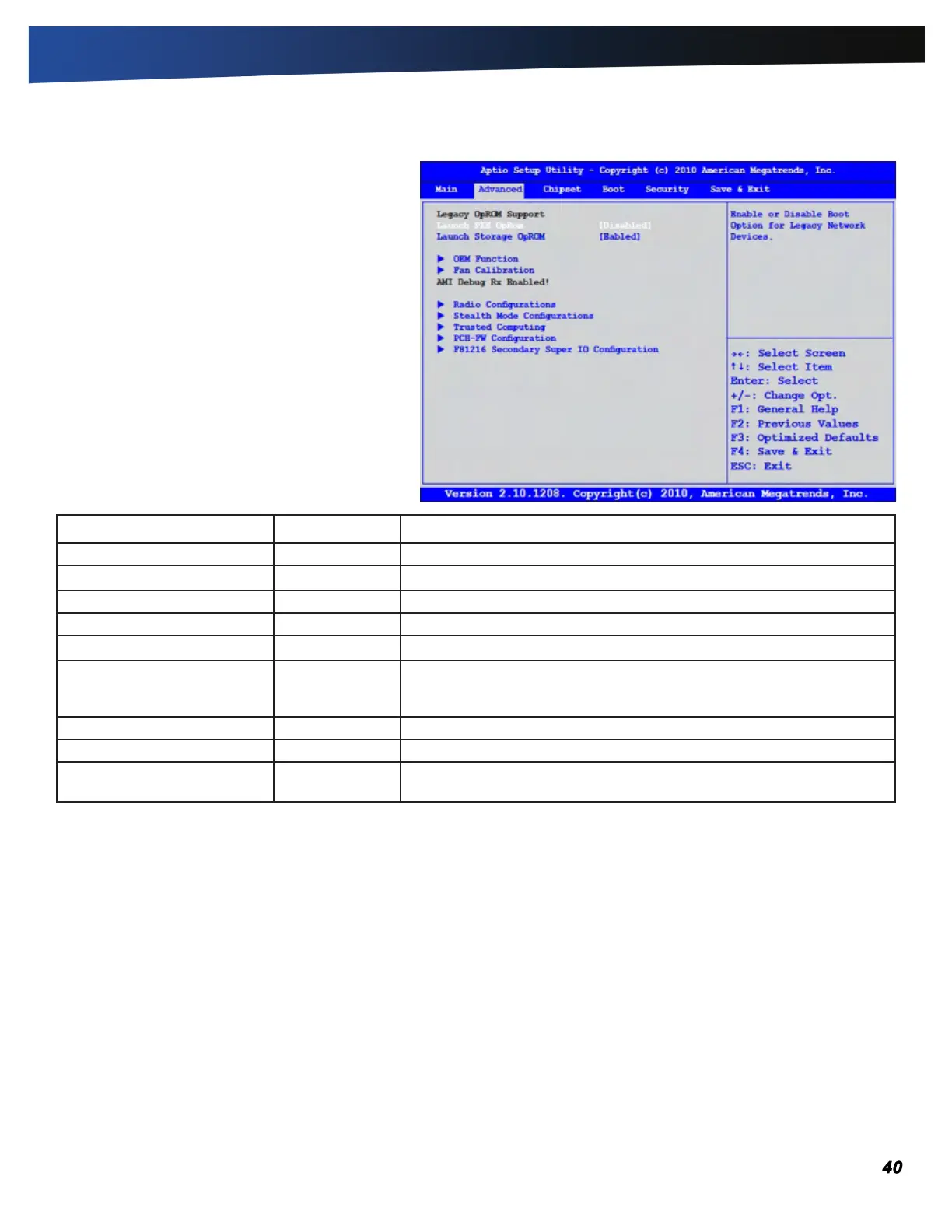
The Advanced Menu
The Advanced Menu provides the user with the ability
to configure specific system settings.
Field Setting Description
Legacy OpROM Support Enable or disable Legacy Network or Mass Storage Devices
OEM Function sub-menu Test OEM Function
Fan Learning Function sub-menu Fan calibration (learning) will take about two (2) minutes to finish.
Radio Configurations sub-menu Configuration of WLAN, Bluetooth
®
and CRMA Functions
Stealth Mode Configuration sub-menu Configuring the stealth mode feature enables you to turn off sound
and light in environments where sound and light could be dangerous or
disruptive
Trusted Computing sub-menu TPM Settings
PCH-FW Configuration sub-menu Configure management engine technology parameters
F81216 Secondary Super IO
Configuration
sub-ment Configure the system’s Super IO chip parameters



 To Next Page