General Dynamics Itronix 72-0146-001
GD8200 User GuideGD8200 User GuideGD8200 User Guide
Customizing Your BIOS
Field Setting Description
System Agent (SA)
Configuration
Sub-menu
PCH-IO Configuration Sub-menu
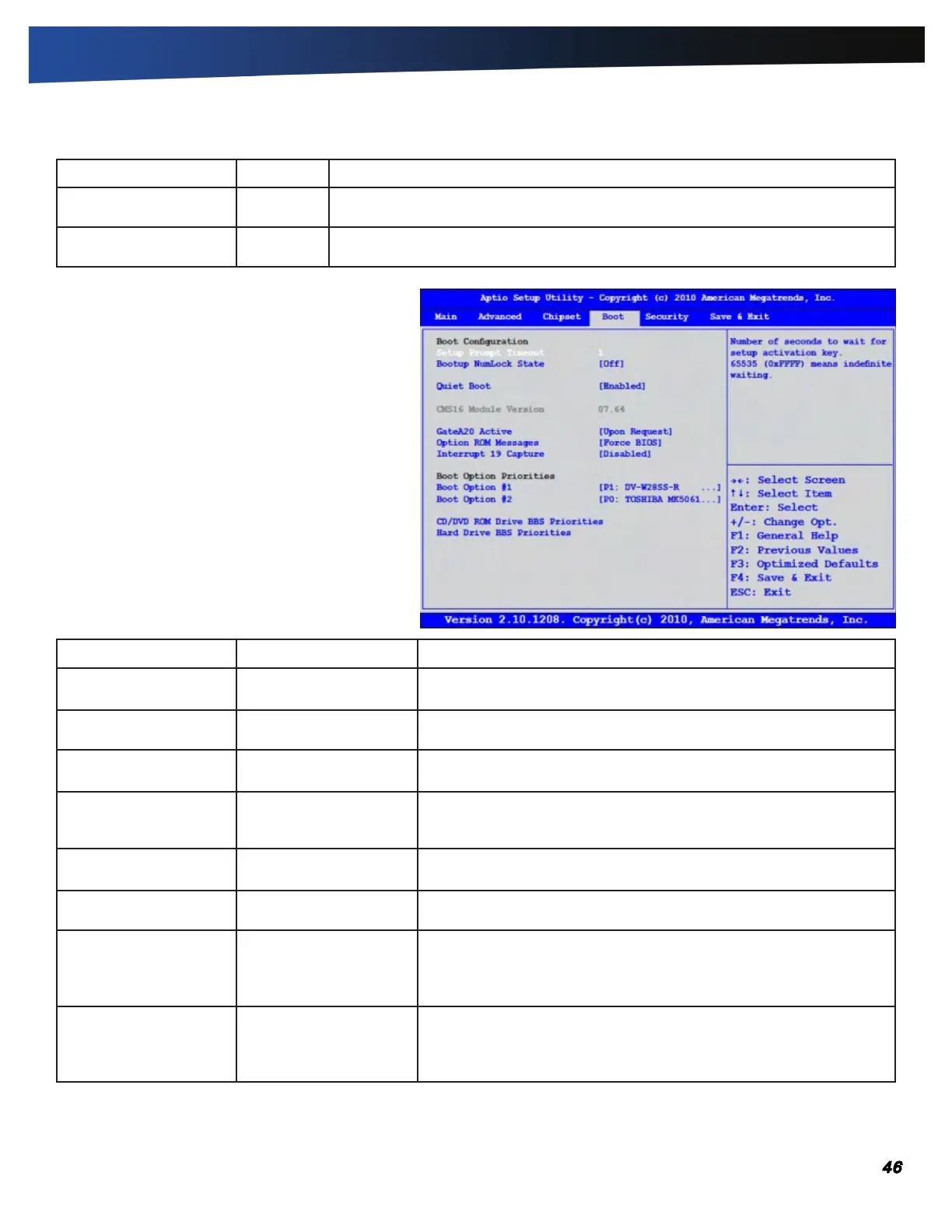
The Boot Menu
Use these fields to set the devices from which the
system should boot, in order of priority, depending
on your configuration. The boot device fields are
dynamic and change depending on the devices
installed on your GD8200 during that boot sequence.
For example, if you have a DVD/CDRW Combo drive
or a USB floppy drive installed, they appear as options
in the boot device fields. If you only have a hard disk
drive, it will be the only option that displays.
When you select a device, it is disabled in the other
boot device fields.
Field Setting Description
Setup Prompt Timeout
ENTER TIMEOUT IN SEC-
ONdS
Number of seconds to wait for the setup activation key.
Bootup NumLock State On
OFF
Select the keyboard NumLock state.
Quiet Boot
ENABlEd
Disabled
Enables or disables Quiet Boot option.
GateA20 Active
UpON REqUEST
Always
UPON Request - GA20 can be disabled using BIOS services.
ALWAYS - do not allow disabling GA20; this option is useful when an
RT code is executed above 1MB.
Option ROM Messages
FORCE BIOS
Keep Current
Set display mode for Option ROM.
Interrupt 19 Capture Enabled
dISABlEd
Enabled: Allows Option ROMS to trap Int 19.
Boot Option #1
p1: dv-W28SS-R
PO: TOSHIBA MK5061G-
SYN
Disabled
Sets the system boot order.
Boot Option #2
P1: DV-W28SS-R
pO:TOShIBA
Mk5061GSyN
Disabled
Sets the system boot order.



 To Next Page