English
-29-
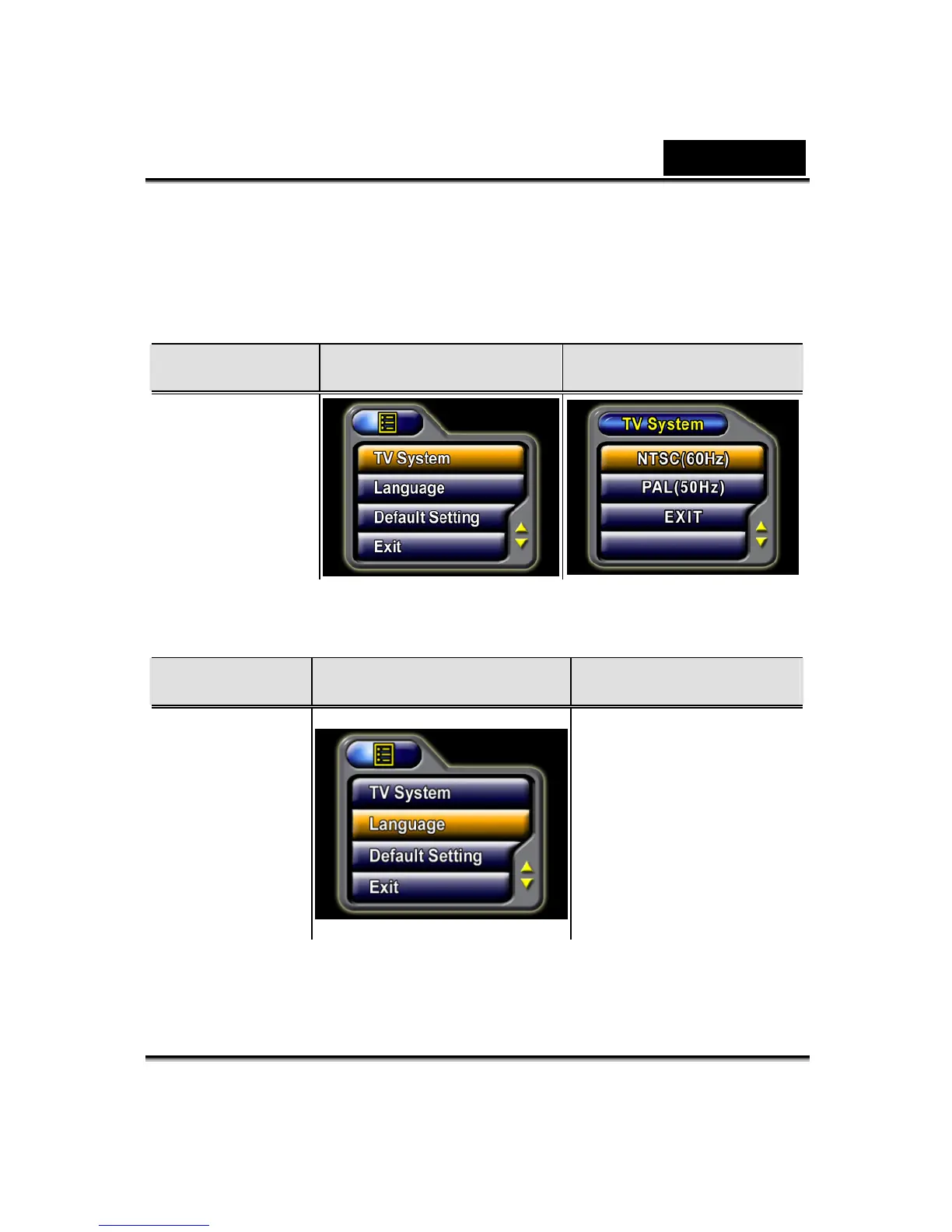
y Wrong TV system setting may cause image flicker.
y NTSC standard: USA, Canada, Japan, South Korea and Taiwan etc.
y PAL standard: UK, Europe, China, Australia, Singapore and Hong Kong
etc.
Submenu Display Screen TV System Options
TV System
Options
s Selecting Interface Language
z Select Language by using the Up/Down buttons.
Submenu Display Screen Language Options
Language
Options
This option allows you to
select the language for the
menus and the text display
on the LCD monitor.
t Default Setting
To restore the default factory setting, select this option.



 To Next Page