Manually setting preset codes
1. Find your device in the supplied list of preset
codes.
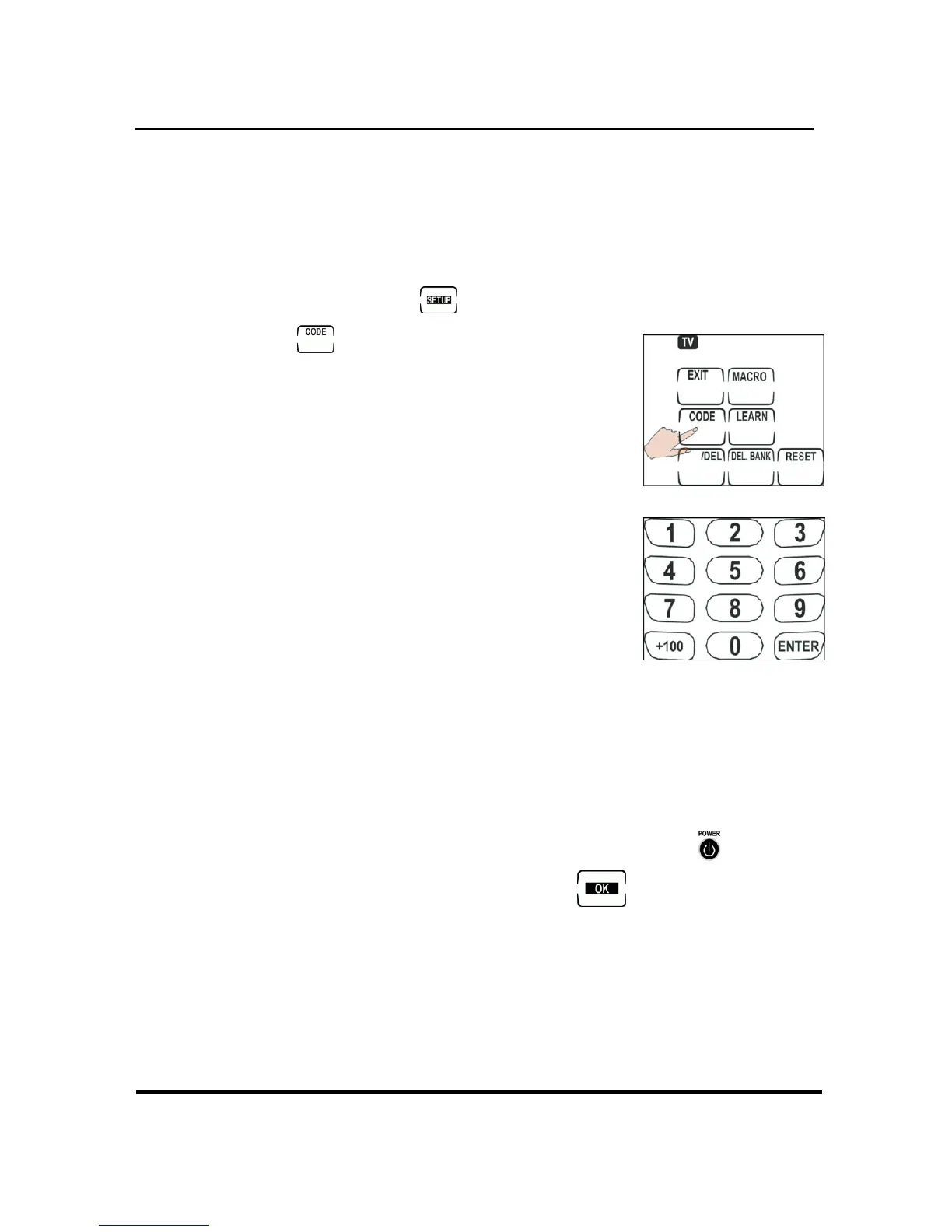
2. Press and hold
to enter setup.
3. Press
.
4. Find the digit code number
from the pre-programmed
code list.
5. Use the number buttons to
enter the four digit code.
(Refer to the pre-programm
code list table) After you enter
the last digit, a double beep
sounds, confirming the
has been input. If the number isn’t in the co
database, the Remote 600 will beep thre
times continuously. Please try another number.
Check you have entered the
ed
code
de
e
6. correct code by
pressing Volume +/–, Channel +/– or
.
If the code is correct, press
7.
to confirm
orr
and exit. If the code is not c ect, repeat
step 4. See
Checking the code number on
page
14
13


 To Next Page