ENGLISH
22
Chapter 4 Using the Remote 600
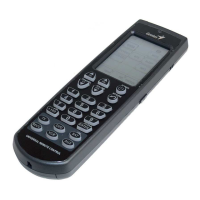
Use the Remote 600 as you would any IR remote
control by pointing it at the device you want to
control and pressing the appropriate button.
Buttons which are correctly programmed using
the preset codes or learning feature emit a single
beep when pressed and the LED lights up briefly.
If the button that do not have a function in it, the
LED does not light.
NOTE:
Refer to the user manuals supplied with your
devices for information related to the functions
of those devices.
Button protection
The Remote 600 has a protection feature to
prevent accidental operation of the touch
screen and buttons. When something presses on
the buttons accidentally, Remote 600 will
automatically stop to send IR codes after 15
seconds. In this state, the touch screen also turns
off after 90 seconds.


 To Next Page