Troubleshooting
Problem Solution
Touch screen does not
display anything when
touched.
*Check the batteries are
installed correctly.
*The batteries may be
discharged. Replace the
batteries as described in
Installing batteries on page 4.
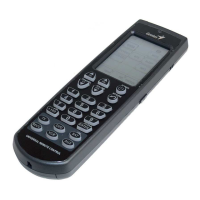
The Remote 600 does
not operate a device.
*Check the correct device is
selected on the Remote 600.
*Make sure you are using the
Remote 600 within the
effective transmission
distance. (8 ~ 10 m)
*The batteries may be
discharged. Replace the
batteries as described in
Installing batteries on page 4.
*Check that the button is
programmed correctly. Re-
program the button as
described in page 4.
*Go to Genius’s website,
www.geniusnet.com.tw and
download the most up to
date code list.


 To Next Page