Auto power-off
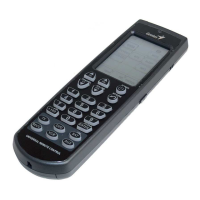
To save power, the Remote 600 automatically
powers off after 90 seconds.
Wake up sensor
The Remote 600 also has an internal motion
detector. You can turn it on again by moving the
Remote 600 or press any key on it.
Backlight
The Remote 600 has a blue backlight to make
using it in the dark room easily. Press the
backlight switch to switch on the backlight. The
backlight will switch off automatically 8 seconds
after the last button is pressed.


 To Next Page