ENGLISH
Loading preset codes using auto search
You can quickly start using your Remote 600 by
using the auto search to load preset codes.
1. Switch on the device for which you want to
set up the Remote 600.
2. Select the appropriate device on the Remote
600 using the device buttons. See
Selecting
devices and pages
on page 7.
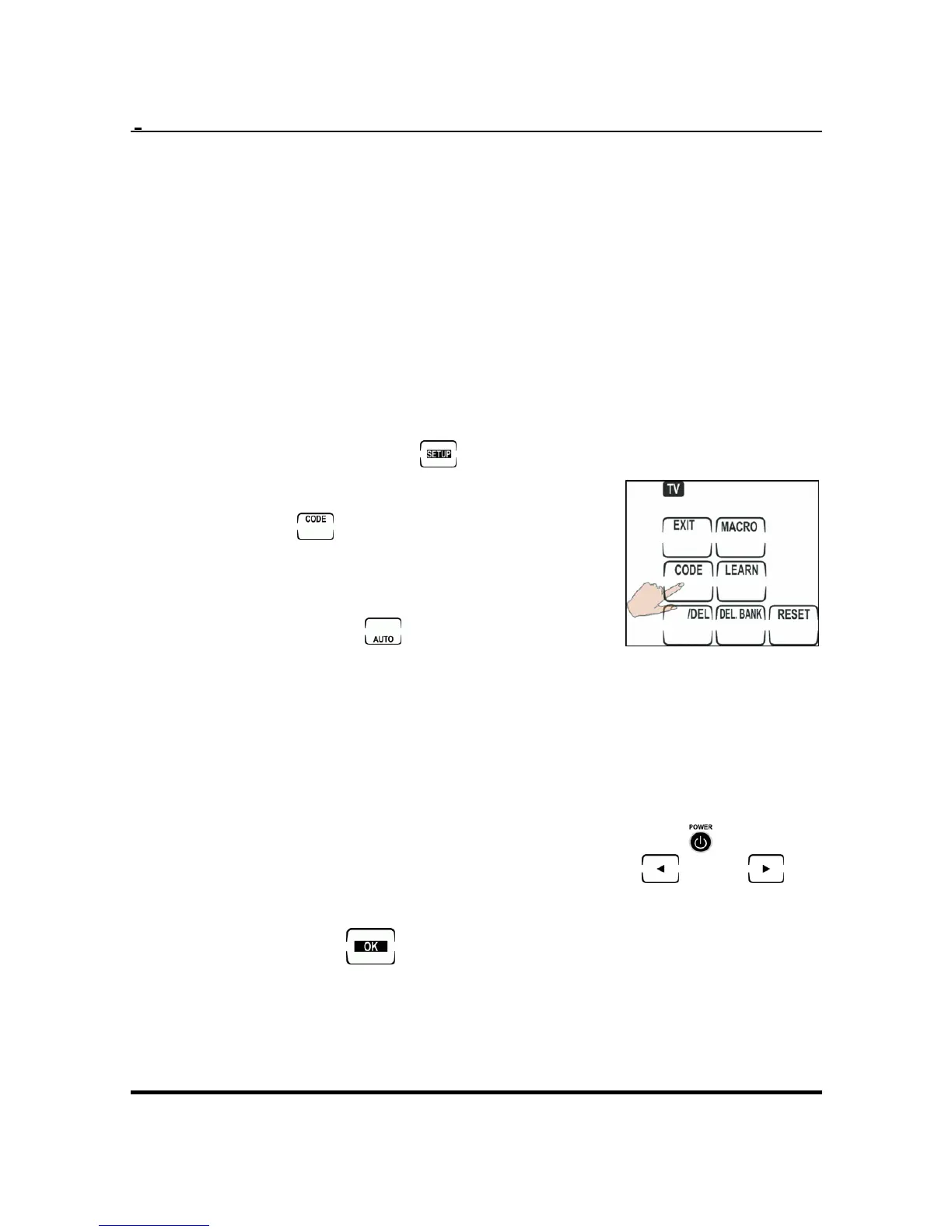
3. Press and hold
for two seconds to enter
setup on the touch screen.
4. Press .
5. Point the IR transmitter of the
Remote 600 at the device
then press
.
6. The Remote 600 will try to turn off the device
by transmitting different preset IR codes.
When the device switches off, immediately
press any hard button or touch the screen.
7. Ensure that you have the correct code by
pressing Volume +/-, Channel +/- or
to test.
If the code is not correct, press "
" or " "
and test the code again.
8. Press the
button to save and exit.
8


 To Next Page