ENGLISH
10
Chapter 3 Setting up the Remote 600
Before you can use the Remote 600, you must
set it up either by using preset codes or learning
codes from your existing IR remote controls.
Entering setup
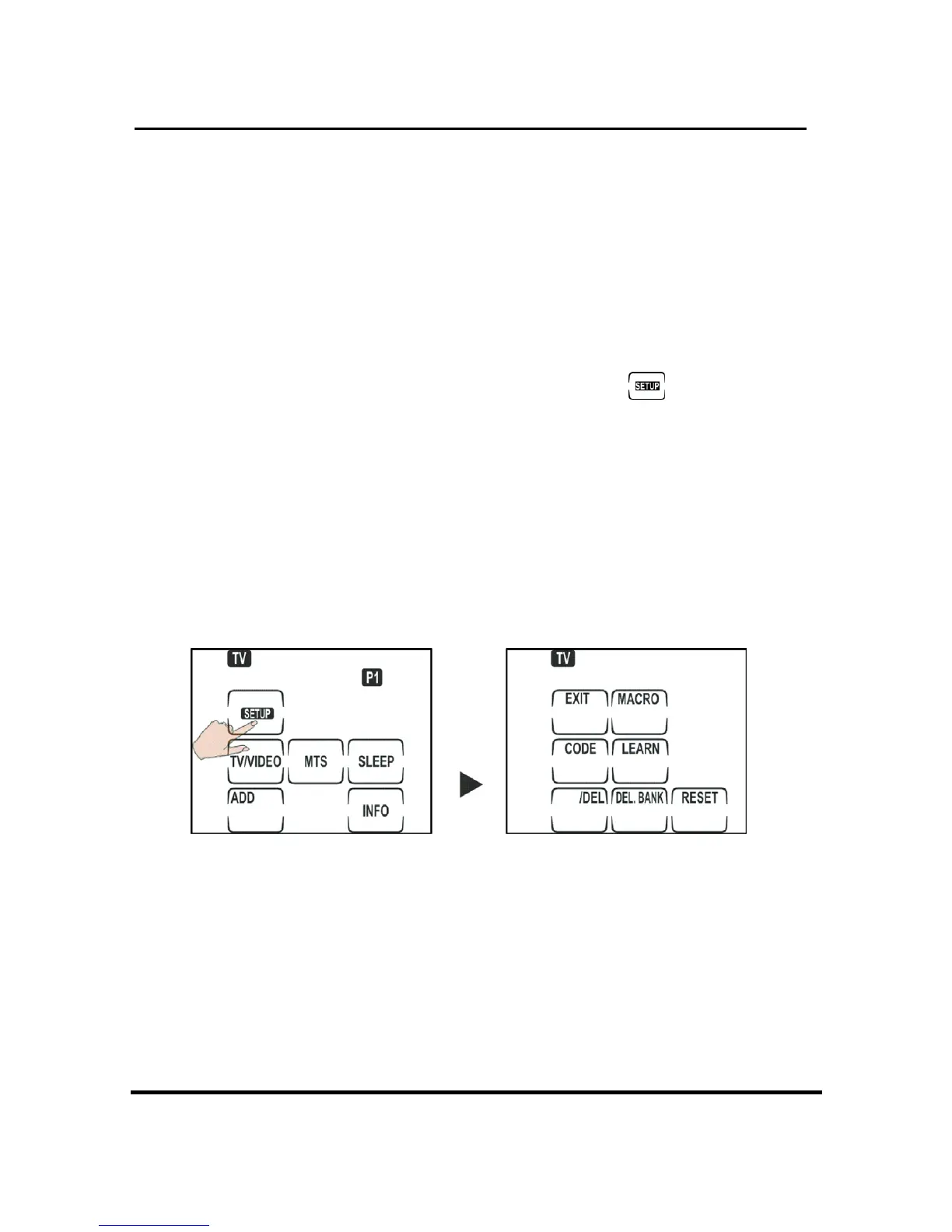
To enter setup, press and hold the button for
two seconds. From the setup screen, you can
• Setup preset codes
• Learning codes
• Creating Macros
• Delete key codes
• Delete devices codes
• Reset the Remote 600
NOTES:
When the battery low icon appears, you will not
be able to enter setup. Please replace batteries
to enter setup.


 To Next Page