ENGLISH
4
Chapter 2 Quick start
This chapter provides you with the information to
quickly start using the Remote 600.
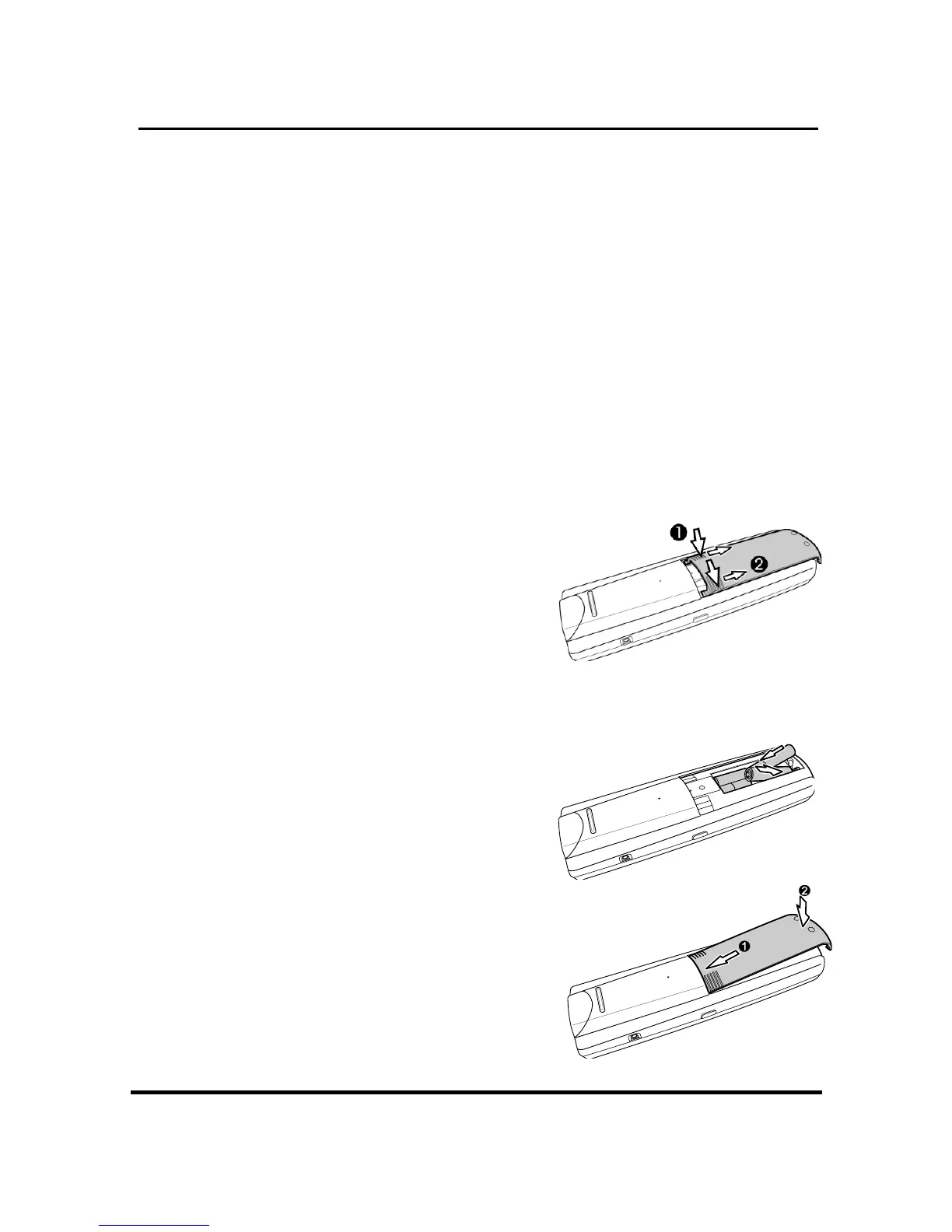
Installing batteries
The Remote 600 requires four AAA alkaline
batteries (not included). You must insert the
batteries before you can operate the Remote
600.
1. Turn the remote
over, gently press
the cover in and
open in the
direction of the two
arrows by your thumbs, according to the
illustration.
2. Insert the batteries,
observing correct
polarity.
3. Insert the tabs into
place and push the
cover closed.


 To Next Page