ENGLISH
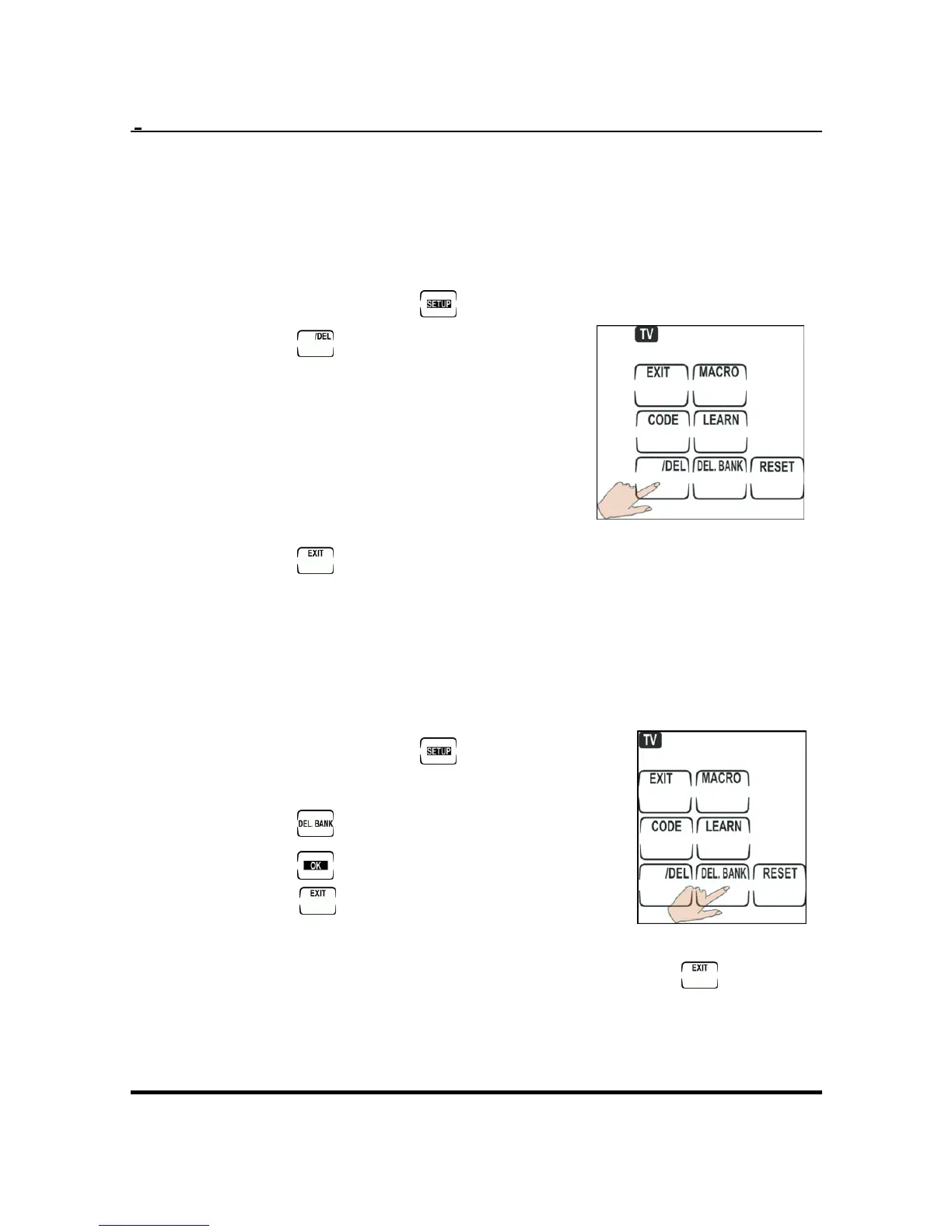
Deleting codes one button at a time
1. Select the appropriate device by pressing the
device button.
2. Press and hold
to enter s
Press
etup.
3.
.
4. Press the button you want
5. 4 for all the
6.
to delete.
Repeat step
buttons you want to
delete.
Press
.
Deleting codes one device at a time
g the
2.
1. Select the appropriate device by pressin
device button.
Press and hold
to enter
3.
setup.
Press
.
4. Press
18
to confirm. Otherwise,
press
to cancel.
To delete other devices,
5.
ise, press
repeat steps 1 ~ 3. Otherw
to
leave this mode.


 To Next Page