ENGLISH
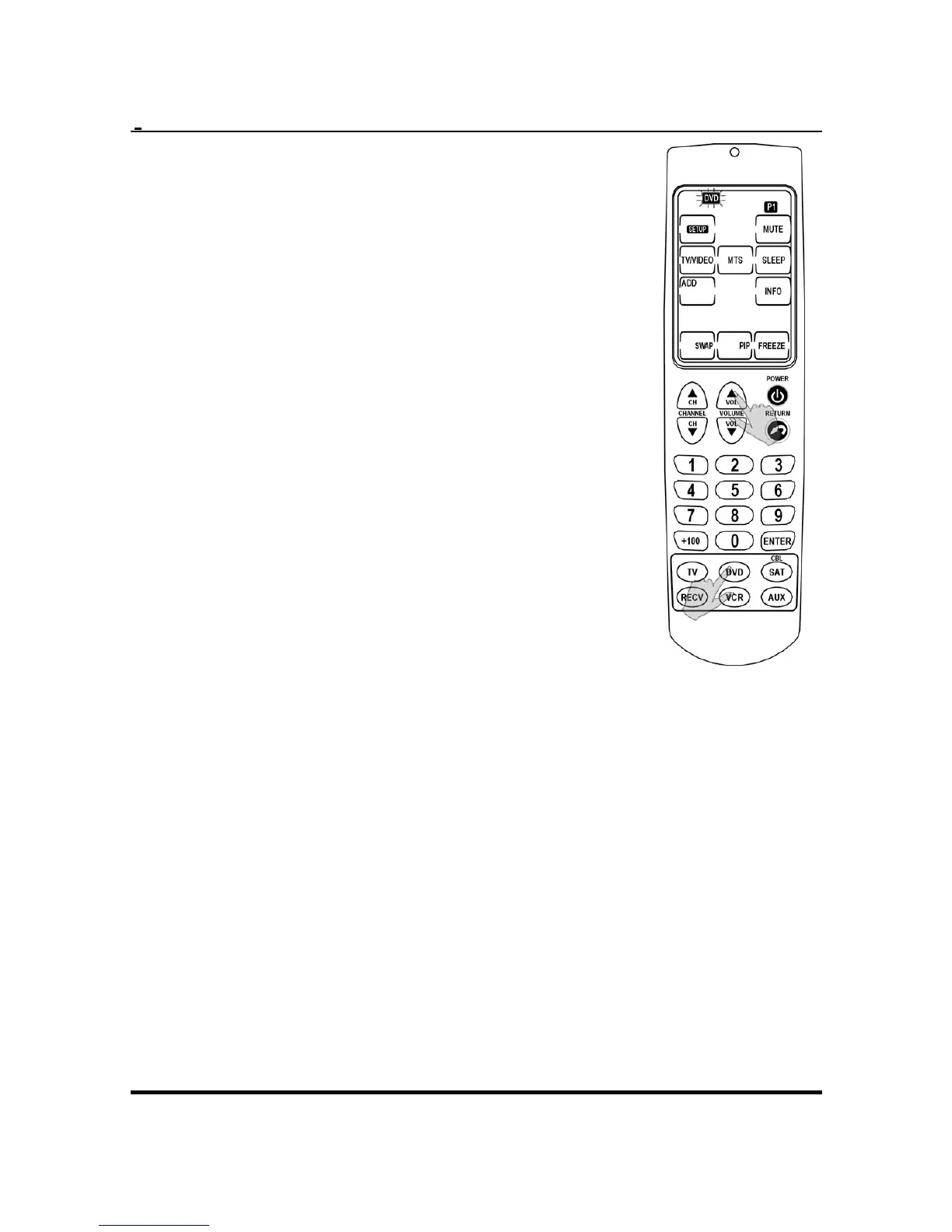
1. Press and hold the device
button of the device you are
currently operating.
2. While holding the device
button, press the VOL + or VOL–
button. The device icon flashes
on the touch screen.
3. While the device icon is flashing,
quickly press TV or RECV within
three seconds.
4. Punch thru has successfully
been completed. When punch
thru has been set, the TV or
RECV icon will flash next to the
device icon of the device you
are operating to indicate the
volume control source.
NOTE:
• To remove the punch thru function, press the
device button and Volume+ or Volume -
together.
• The punch thru function can only be set with
the DVD, VCR, SAT, and AUX devices, and
enables you to control the volume of these
sources through the TV or RECV device.
24


 To Next Page