13
SET UP
After connecting the plotter to the GRAPHIX ADVANTAGE or
other sign design system, use the GSP Setup program in
GRAPHIX ADVANTAGE to make the GS750
plus
accessible.
Note: When the GS750
plus
is used with sign design systems
other than GRAPHIX ADVANTAGE, contact the system
manufacturer to obtain a driver for the GS750
plus
, installation
instructions, and setup information.
Plotter Selection
Before choosing a plotter close the Plot Spooler. Click once on
the Plot Spooler icon, then click on Close.
1. Double-click on GSP Setup. The Setup program opens.
2. Click on Setup. The Setup drop-down menu appears.
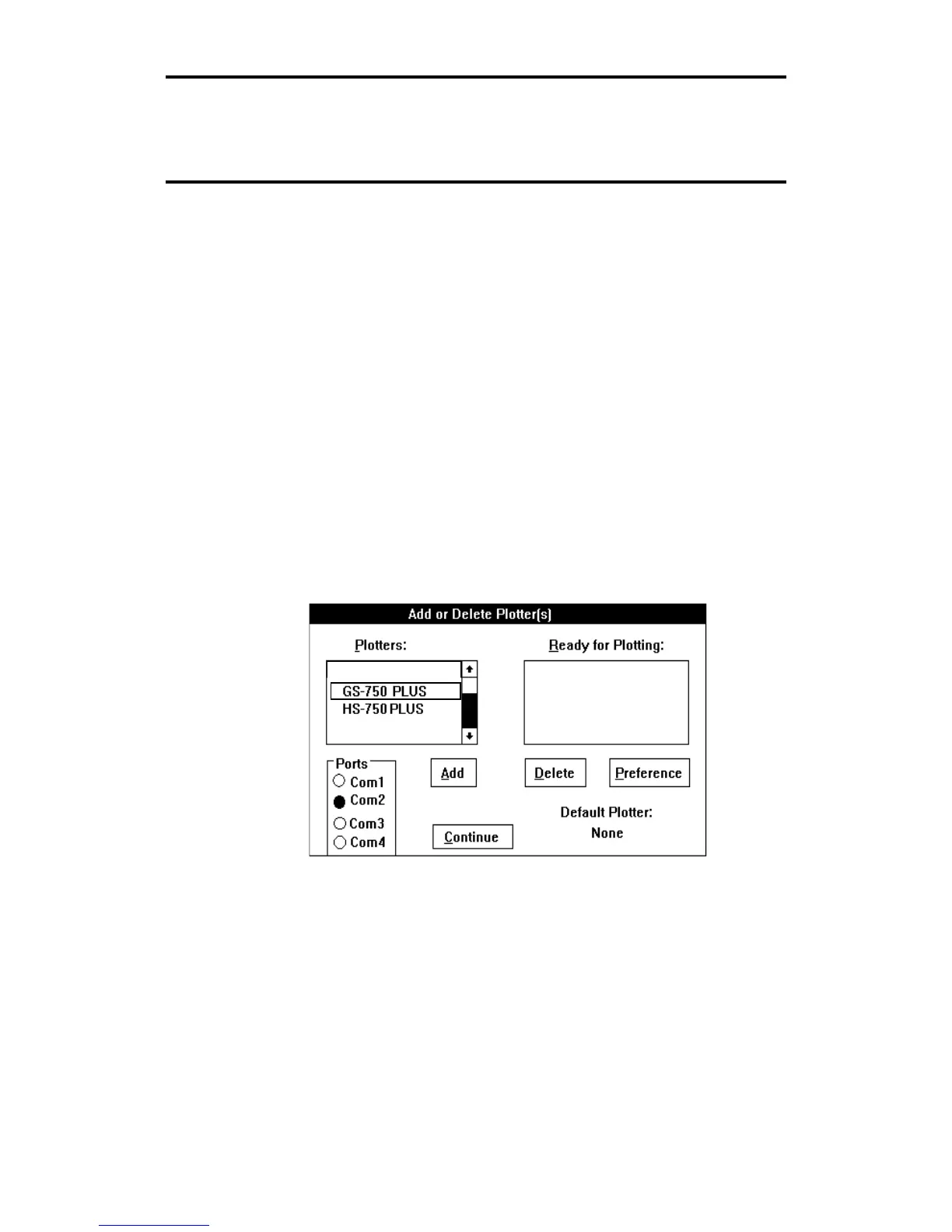
3. Click on Plotter. The Add or Delete Plotter(s) dialog box
appears.
4. From the Plotters Box, click on GS750
plus
to highlight it.



 To Next Page