31
C. Gerhardt GmbH & Co. KG
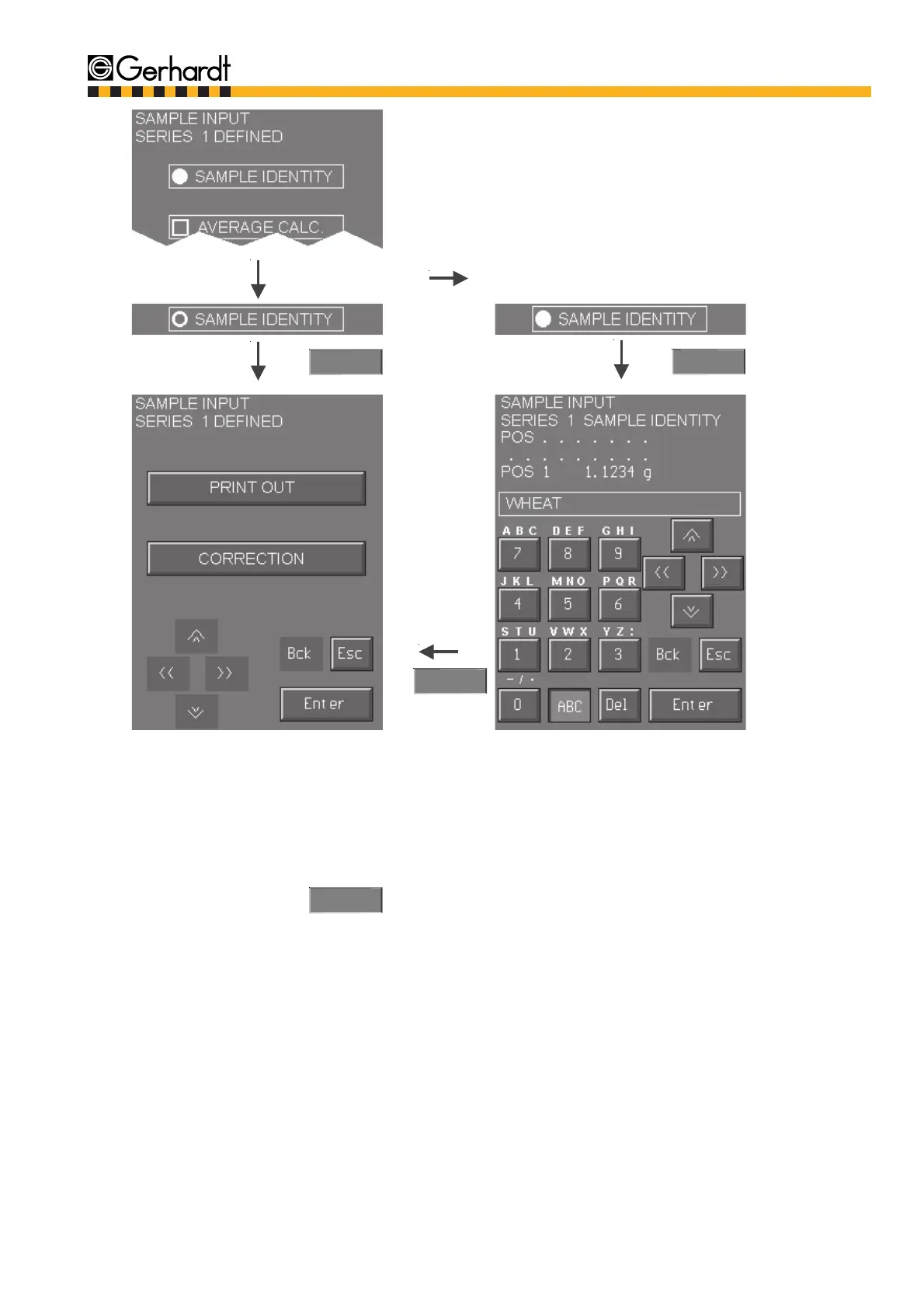
There is an alphanumeric keyboard with some
symbols for the sample marking. If the ABC
key is not pressed, the numerical part of the key-
board is activated. Press the ABC key for letters
and symbols.
Information on how to use the alphanumeric key-
board see chapter 6.1. "Description of the Keys
and Functions". The sample identity is stored with
the switch to the next sample (cursor "down").
The last written sample name is automatically
copied into the next free line. It can be deleted
with the "Del" key. Or you mark the next charac-
ters that are to be changed with the cursor. The
sample marking can be left any time by pressing
the "Enter" key.
The defined series can be printed for test or do-
cumentation purposes. If necessary, corrections
of sample entries or identities can be made.
Press key "Enter". The sample entry is now finis-
hed.
Enter
Enter
12.
The samples can be given any identity during the
sample identity. Once it is activated an average
value can be calculated for all samples of the
same name within the program.
11.
Enter
Enter
SAMPLE INPUT



 To Next Page