30
C. Gerhardt GmbH & Co. KG
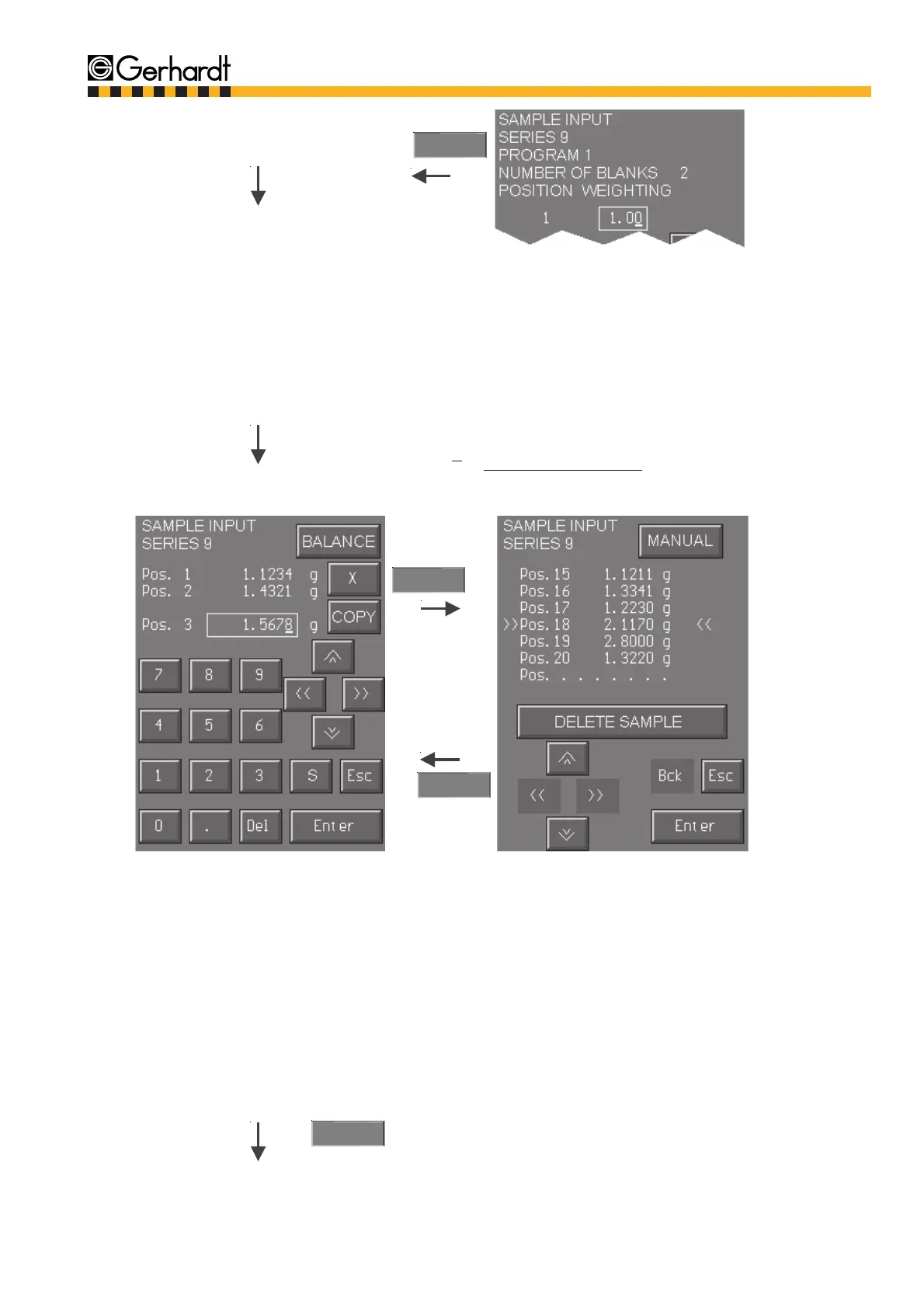
If all samples are related to a program, the
weights/volumes are entered. To switch over to
the next available input space press the cursor
"down". If the same value is needed several
times, e.g. 100 ml, this once entered value can
be copied into all free positions with the "Copy"
key. If the number of samples entered is the same
as the number of determinations you can chan-
ge to the next entry display by pressing the
"Enter" key.
Key „X“ = delete current position
Key „S“ = all following values entered will be put
one position up, the present value can be over-
written.
When entering weights you can switch over to a
balance display by pressing the "Balance" key.
The
sample entry is then made via the RS 232 inter-
face of the balance. For the adjustment parame-
ters of the balance for the data transfer please
see chapter 4.6 "Connection to the balance".
If more samples are transmitted than there are
positions for they have to be deleted. The balan-
ce display can be left at any time by pressing the
key
"Manual".
BALANCE
Enter
MANUAL
10.
The blank samples (B) can be entered with diffe-
rent weighting (W) for the blind value calculation.
The same specific weight is always pre-set for
all blank values. If the amount of blank values is
>1 then the average of the blank value out of all
blank samples is calculated. To switch to the next
blank values use the cursor "down".
The formula for the calculation of the average is:
9.
If the number of samples and blank samples for
a program is smaller than the number of deter-
minations then the remaining samples must be
asigned further programs. In this case go to point
4 in this chapter.
Enter
SAMPLE INPUT
W1 x B1 + W2 x B2
W1 + W2
M =



 To Next Page