34
C. Gerhardt GmbH & Co. KG
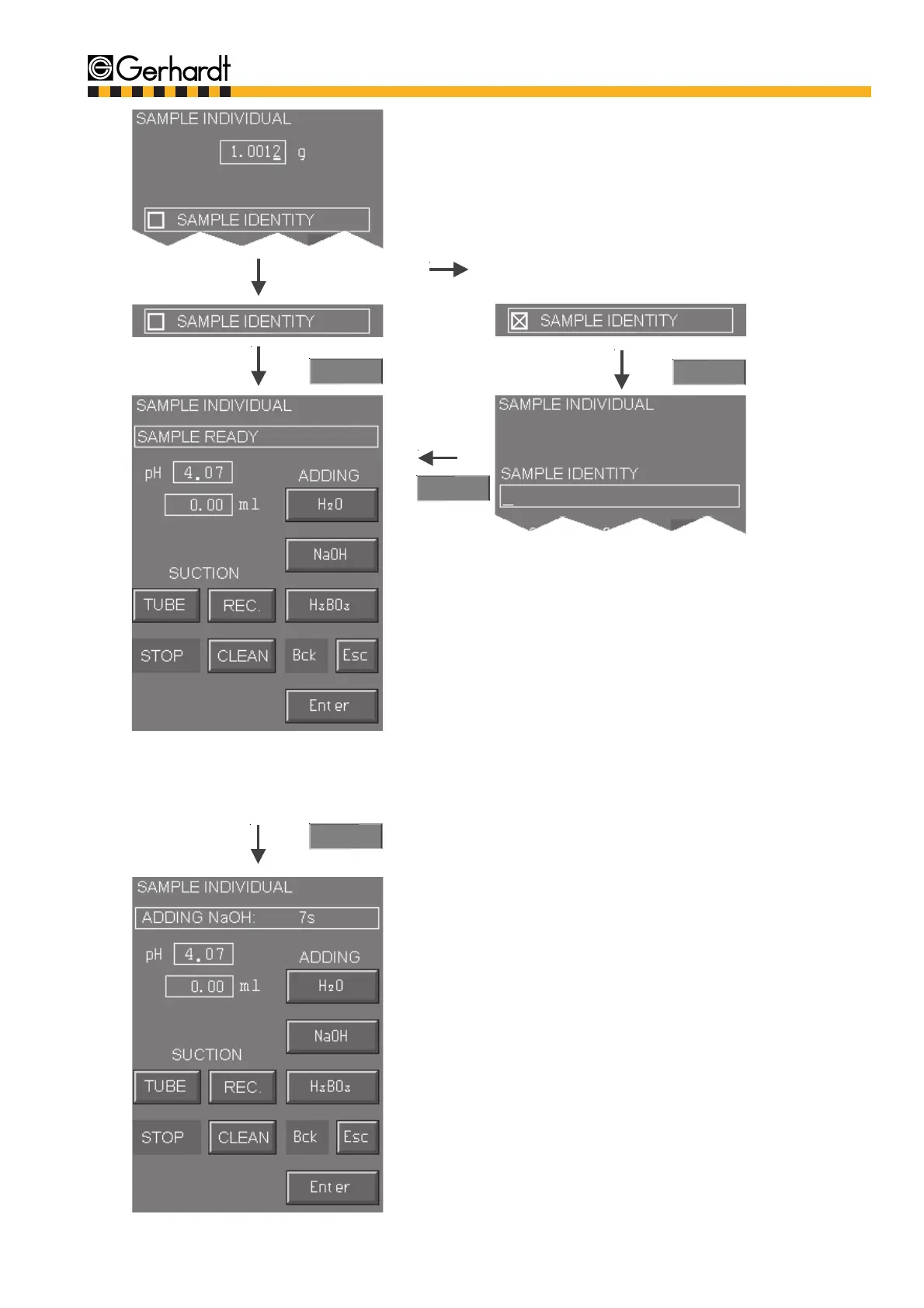
If "Sample Identity" is pressed the display swit-
ches to the alphanumeric mode. Now, you can
name the sample.
If the ABC key is not pressed, the numerical part
of the keyboard is activated. Press the ABC key
for letters and symbols. Information on how to
use the alphanumeric keyboard see chaptrer 6.1.
"Description of the Keys and Functions".
As long as the analysis is not running you can
activate the following functions manually:
- Suction of sample and receiver
- Adding H
2
O, H
3
BO
3
, and NaOH
10.
Enter
Enter
Enter
The display shows which part of the program is
running.
By pressing "Stop" the analysis can be aborted
at any time.
The following function can be selected during
the analysis:
- Manual addition of NaOH
ANALYSIS
Enter
11.
Enter weight/volume of sample and decide whe-
ther a sample name should be used. If no samp-
le, but only a blank value is going to be determi-
ned then enter a "0".
9.



 To Next Page