User Codes
69
3
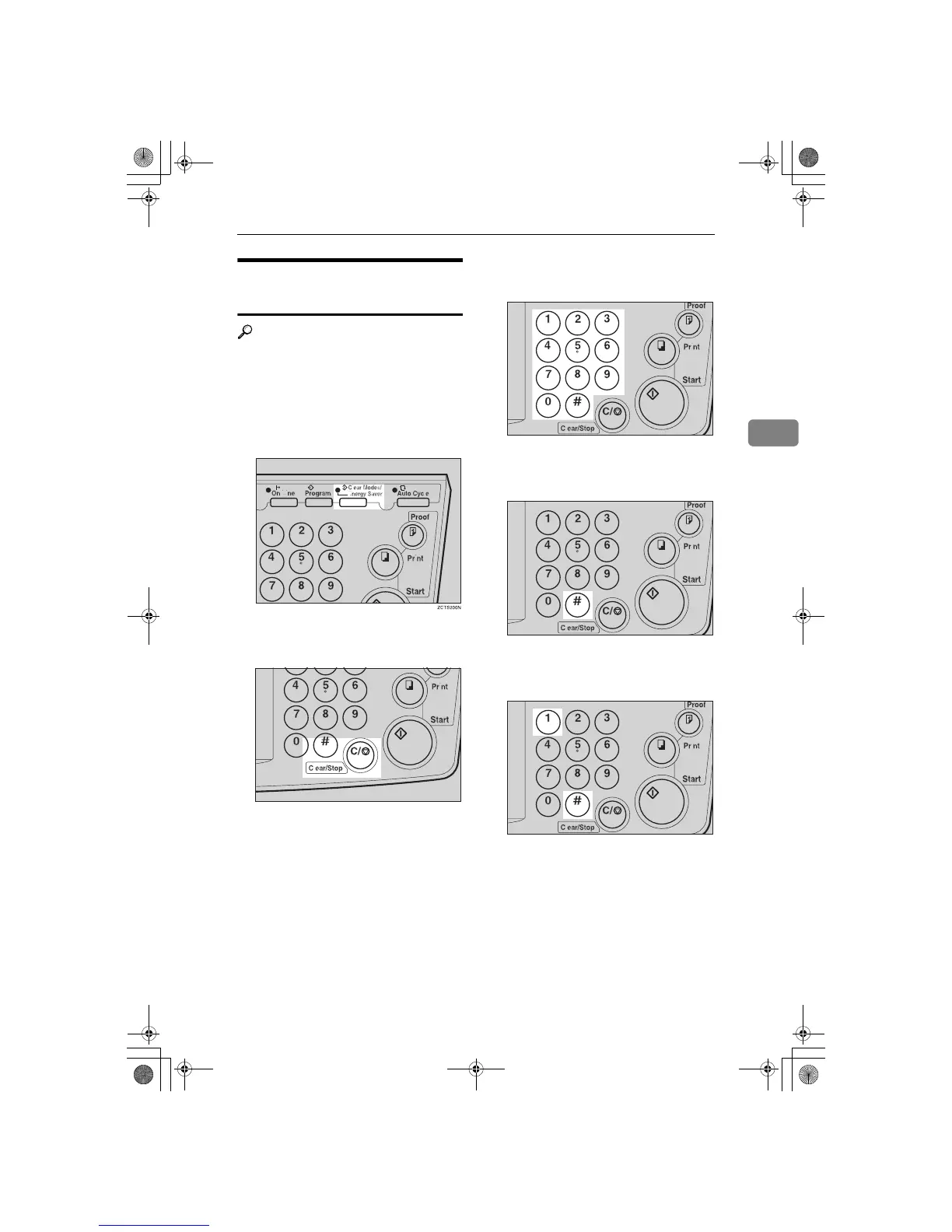
How to Clear the User Code
Counter (# 122)
Reference
If you want to clear every user
code counter, see ⇒ P.71 “How to
Clear the User Code Total Counter (#
124)”".
A
Press the {
{{
{
Clear Modes/Energy Sav-
er
}
}}
} key.
B
Hold down the {
{{
{
Clear/Stop
}
}}
} key
for at least 3 seconds.
C
Enter “122” with the number keys
and press the {
{{
{q
qq
q}
}}
} key.
D
Keep pressing the {
{{
{q
qq
q }
}}
} key until
desired user code is displayed.
E
Enter “1” (Yes) with the number
keys and press the {
{{
{q
qq
q}
}}
} key.
F
Press the {
{{
{
Clear Modes/Energy Sav-
er
}
}}
} key to leave Service Program
mode.
TSLS01AN
TSLS011N
TSLS01TN
TSLS01VN
SilverV-EN.book Page 69 Monday, May 15, 2000 3:23 PM



 To Next Page