Operation
28
1
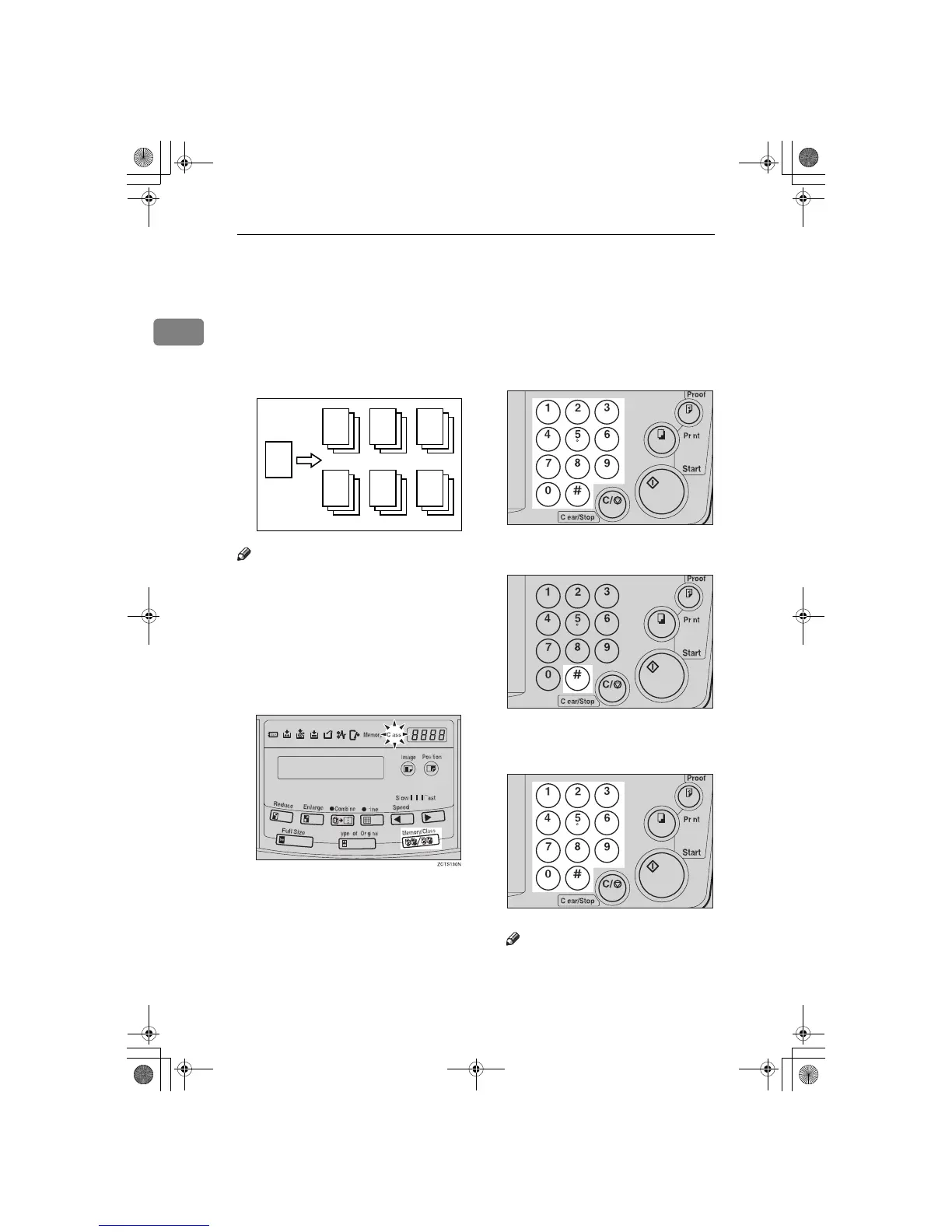
Class Mode—Group Printing from the
Same Original
Use the {
Memory/Class
} key to make
sets of prints from the same original.
The same number of prints is made
for each set.
Note
❒ The optional tape dispenser auto-
matically feeds out strips of paper
which separate the printing
groups on the paper delivery tray.
❒ Up to 20 sets of prints can be select-
ed for one original.
A
Press the {
{{
{
Memory/Class
}
}}
} key to
light the Class indicator.
B
With the number keys, enter the
number of prints for each set to be
made from the original.
C
Press the {
{{
{q
qq
q}
}}
} key.
D
With the number keys, enter the
desired number of sets.
Note
❒ The maximum number of sets
that can be made is 20.
GRCLAS0E
R
R R R
R R R
TSLS011N
TSLS01TN
TSLS011N
SilverV-EN.book Page 28 Monday, May 15, 2000 3:23 PM



 To Next Page